
How to Transcribe a TikTok Video in 2026 (Paste the Link)
Summarize this article with:
To get a clean transcript from a TikTok video, download the file (or paste its URL) into an external transcription tool, since TikTok's built-in captions cannot be exported and break down on accents and technical terms. The transcript becomes your bridge to every other output: burn-in captions for Reels and Shorts, a blog post, or a hook research database. TikToks recorded in-app can be up to 10 minutes; uploaded files can run up to 60 minutes, so tool choice matters for longer Studio posts.
The fastest path: paste the TikTok URL into a transcription tool that accepts URLs directly, and you have a clean transcript in under a minute. If you need to download the file first, that takes two more steps. The rest of this guide covers both paths, plus the specific workflows where TikTok transcription earns its keep: burn-in captions for cross-posting, repurposing short-form into long-form content, and analyzing hooks from videos that blew up.
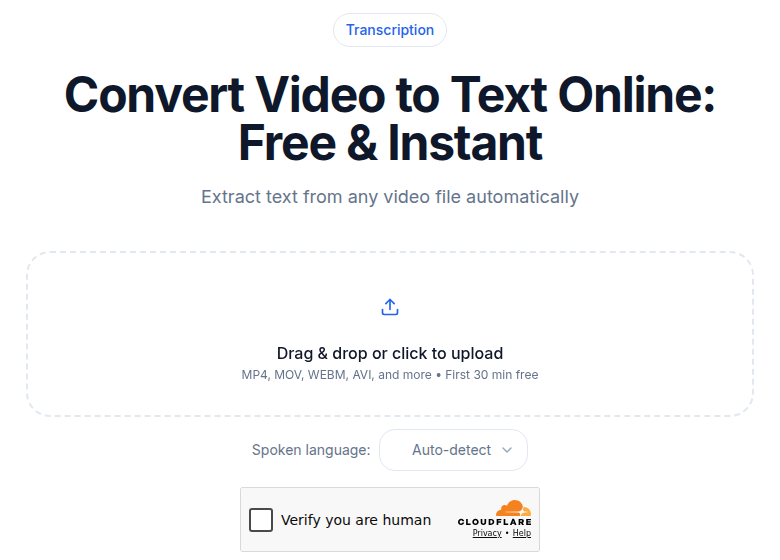 Paste the video URL or upload the file to get the transcript
Why TikTok's Built-In Captions Are Not Enough
TikTok added auto-captions in 2021 and the feature has matured since then. During upload, you can enable a caption track and TikTok renders it on the video. Viewers can toggle it on or off.
The practical limits, verified against TikTok's own support documentation:
- No export. The caption track lives inside TikTok. There is no SRT, VTT, or plain-text export. If you want captions on Reels or YouTube, you start from scratch.
- Accuracy drops on accents, technical terms, and fast speech. Auto-captions use platform-side speech recognition and commonly miss proper nouns, niche terminology, and overlapping speech.
- Limited editing. The in-app editor is basic. You can correct individual words but you cannot reformat cue timing in bulk or apply styles programmatically.
- Inconsistent timing. Cue boundaries sometimes land off-beat with the audio, especially on fast-paced or music-heavy content.
For one-off personal use, TikTok's built-in captions are fine. For repurposing, research, or accessibility, an external transcript is the right tool.
Step 1: Get the Video File (or the URL)
Three input paths, each suited to a different situation.
Your own video, save to device
- Open the video on your phone.
- Tap the share button (arrow icon).
- Tap "Save video."
- The video downloads to your camera roll as an MP4 with TikTok's watermark.
The watermark is visual only and has zero effect on the audio track. Any transcription tool reads the AAC audio inside the container. The download quality is 1080x1920 px, 9:16 vertical, with stereo AAC-LC audio.
Someone else's video, save to device
The "Save video" button works for most TikToks, but creators can disable it in privacy settings. If the save option is hidden:
- Screen record on the phone. iOS and Android both have native screen recording. Play the video and record. The result has lower audio fidelity but is still transcribable.
- Third-party downloaders. Dozens of web tools accept a TikTok URL and return a watermark-free MP4. Quality and terms-of-service compliance vary by tool and by territory.
For research use cases (transcribing many TikToks at volume), check TikTok's commercial data terms before building an automated pipeline.
Paste a URL directly
Some transcription tools accept a TikTok URL and handle the download server-side. This is the fastest path for one-off transcription: you never touch the file. The video-to-text tool works this way for supported platforms.
For bulk work, downloading files locally and processing them in batches tends to scale better than per-URL requests.
Step 2: Run the Transcription
Once you have the file or the URL:
- Upload or paste. Most tools accept MP4 directly. TikToks recorded in the app are up to 10 minutes. Videos uploaded to TikTok via TikTok Studio can run up to 60 minutes, so check that your tool handles the length you need.
- Set the language explicitly. Do not rely on auto-detect for short clips. A 15-second video does not give auto-detection enough signal. Pick the language before submitting.
- Configure speaker count. Most TikToks are single-speaker. If you have two people on screen, set it to two.
TikToks under a minute transcribe in seconds. A 10-minute Studio post still finishes in well under a minute on any modern transcription service.
Step 3: Choose the Right Export Format
The best format depends on what comes next:
| Output | Format |
|---|---|
| Blog post or newsletter | TXT or DOCX |
| Reels / Shorts with burn-in captions | SRT |
| YouTube closed captions | SRT |
| Accessibility transcript on a website | TXT or HTML |
| Hook research database | TXT or JSON |
The subtitle generator handles the SRT-to-burn-in step if you want to skip a video editor entirely.
The Burn-In Caption Workflow for Cross-Posting
The most common reason creators transcribe TikToks is to repost to Instagram Reels or YouTube Shorts with platform-native burn-in captions. TikTok's watermarked caption style does not transplant cleanly to other platforms, and Reels viewers in particular expect captions: studies consistently show higher watch time on captioned short-form video.
Workflow:
- Save the TikTok video without TikTok's watermarked caption overlay (record the original without platform captions, or use a no-watermark downloader).
- Transcribe externally to get a clean SRT file.
- Import the SRT into CapCut, Premiere, or DaVinci Resolve.
- Style captions for the target platform: Reels captions typically sit more centrally to avoid the UI overlay zone; TikTok captions sit lower. Font, color, and animation differ per brand.
- Burn captions in and export at 1080x1920.
- Post to each platform.
CapCut has the most streamlined workflow for cross-posting because it supports both platforms' output specs. Its Auto Captions feature generates a draft you then correct before burning in. The manual correction step is worth taking: CapCut, like TikTok's own tool, commonly misses proper nouns and fast speech.
For the Reels-specific version of this workflow, including aspect ratio and UI-safe-zone considerations, the Instagram Reel transcription guide covers the differences in detail. The core steps are the same; the caption styling and placement differ.
Hook Analysis: The Underused Use Case
Transcription is one of the best tools for studying what makes a TikTok hook work, because it turns audio into searchable text.
Research published on the TikTok algorithm shows that 70% of viewers decide whether to keep watching within the first 3 seconds. Videos that maintain high retention through that window receive significantly more algorithmic distribution. The specific words in those 3 seconds matter.
Workflow for hook research:
- Collect 20-30 TikToks in your niche that outperformed your average (using TikTok Analytics or a competitor analysis tool).
- Transcribe each video.
- Extract just the first line of each transcript (the hook).
- Look for patterns: question structures ("Did you know..."), proof-first openers ("I gained 10k followers by..."), pattern interrupts, emotional triggers.
The transcript makes this queryable. Without it, you are relying on memory of what you heard. With it, you can paste 30 hooks into a spreadsheet or feed them to an AI writing tool to identify the structure driving retention.
This is where TikTok transcription diverges from the Instagram Reel transcription workflow. Reels analysis tends to focus on visual storytelling and caption placement. TikTok hook analysis is fundamentally textual: the opening phrase is the algorithm signal, and transcription surfaces it.
From TikTok to Long-Form Content
TikTokers expanding into YouTube or blogging use TikToks as source material. The workflow:
- Transcribe a batch of related TikToks on a single topic.
- Combine the transcripts into a rough document.
- Edit for readability (spoken language is loosely structured; clean it up for a reader).
- Use the result as a first draft for a blog post or YouTube script.
A series of 10 TikToks on the same subject, each 60-90 seconds, yields roughly 1,500-2,000 words of raw transcript. After editing, that is a publishable article. For the YouTube-to-text direction, the how to transcribe a YouTube video guide covers longer-form video with chapter markers.
Vocabulary Boosting for Niche TikToks
For TikToks in specialized niches, the default speech recognition models miss brand names and technical terms. A short vocabulary hint list cuts those errors significantly:
- Crypto:
["DeFi", "Solana", "yield farming", "on-chain", "staking"] - Beauty:
["retinol", "niacinamide", "Drunk Elephant", "K-beauty", "hyaluronic"] - Gaming:
["Genshin", "Valorant", "meta", "respawn", "ranked"]
Reuse the same list across every video in that niche. 10-15 terms per niche is enough for a meaningful accuracy improvement on the words that matter most.
For a deeper look at what causes transcription errors and how to fix them, transcription accuracy explained covers model confidence, speaker overlap, and background noise.
What About Volume or Research Use?
For creators or researchers processing many TikToks:
- Use an API rather than a web UI. Per-request throughput is much higher, and you can batch submissions.
- Pass TikTok URLs where supported so the service handles the download.
- Set language explicitly per request, not via auto-detect.
- Build one vocabulary list per niche and reuse it.
If you just need a clean transcript without building a pipeline, ConvertAudioToText handles TikTok MP4s and URL inputs directly, with SRT and TXT export included.
Frequently Asked Questions
Can I export TikTok's built-in captions as an SRT file?
No. TikTok's auto-caption track is locked inside the platform. You can edit the captions during upload, but there is no SRT or VTT export. To get a portable caption file, you need to run the video through an external transcription tool.
Does the TikTok watermark affect transcription quality?
No. Watermarks are a visual overlay and have no effect on the audio track. Any transcription tool reading the AAC audio inside the MP4 will produce the same result whether or not the watermark is visible.
What is the longest TikTok video I might need to transcribe?
Videos recorded in the TikTok app are capped at 10 minutes. Videos uploaded to TikTok (via TikTok Studio or the desktop uploader) can be up to 60 minutes. If you are transcribing a long Studio post, make sure your tool handles files that length.
How do I transcribe a TikTok if the creator disabled downloads?
If the creator turned off downloads, TikTok hides the Save button. Your options are screen recording (built into iOS and Android), or using a transcription service that accepts a TikTok URL directly and fetches the video server-side. The latter is simpler and avoids manual recording.
Is TikTok transcription useful for hook research, or just for captions?
Hook research is one of the highest-leverage uses. When you transcribe the first 3 seconds of TikToks that performed well in your niche, you get the actual words, not a remembered version of them. You can then search across transcripts to spot patterns in opening phrases, emotional triggers, or question structures that drive retention.
Sources
- TikTok Support, "How to download a video": https://support.tiktok.com/en/using-tiktok/exploring-videos/video-downloads
- TikTok Newsroom, "Introducing auto captions": https://newsroom.tiktok.com/en-us/introducing-auto-captions
- Sociality.io, "TikTok video length guide for 2026": https://sociality.io/blog/tiktok-video-length/
- TTS Vibes, "TikTok First 3 Seconds Hook Retention Rate Statistics": https://insights.ttsvibes.com/tiktok-first-3-seconds-hook-retention-rate/
- Teleprompter.com, "TikTok 3 Second Rule: How to Hook Viewers Fast (2026)": https://www.teleprompter.com/blog/tiktok-3-second-rule
- Blitzcut, "Auto vs Manual vs Burned-In Captions for TikTok": https://blitzcutai.com/blog/auto-captions-vs-manual-captions-tiktok
- PixFlow, "AI Automatic Captions in 2026: Premiere, CapCut, and Resolve": https://pixflow.net/blog/ai-automatic-captions-subtitles/
Try transcription free
Convert any audio or video to clean, unwatermarked text — speaker labels, timestamps, and AI summaries included. First 30 minutes free, no account.
Related Articles

How to Convert AVI to Text: Transcribe Legacy Video Files
Learn how to convert AVI to text, including codec-specific gotchas for DivX, XviD, and VBR MP3 audio, plus when to re-encode first vs upload directly.

How to Convert FLV to Text: Transcribe Flash Era Archives (2026)
Step-by-step guide to converting FLV Flash Video files to accurate text transcripts. Covers codecs, ffmpeg repair, when to remux to MP4, and tool compatibility realities.