AI Audio Enhancement in 2026: What It Does and When to Use It
Summarize this article with:
AI audio enhancement covers three distinct jobs: noise reduction, dereverberation, and loudness normalization. Each category has a different set of tools built for it, and pairing the right one with your workflow matters more than chasing a single all-in-one solution. Clean audio also makes a measurable difference to transcription accuracy, so running enhancement before you transcribe is one of the highest-leverage steps a podcaster or interviewer can take.
AI audio enhancement refers to a class of automated processing that cleans, repairs, and levels voice recordings before or after production. The three core categories are noise reduction, dereverberation, and loudness normalization, and most tools specialize in one or two of them rather than all three equally. Understanding the categories first saves you from paying for the wrong tool.
Why Audio Quality Affects More Than Listening Experience
Clean audio is not just an aesthetic preference. Research from transcription benchmarking shows that background noise alone can drop speech-to-text accuracy by 20 to 50 percentage points. A recording made on a decent microphone in a quiet room consistently reaches 95 to 99% accuracy across modern AI transcription engines, while the same words spoken in a noisy environment may land a service in the low 80s.
The practical implication: choosing a better AI transcription engine matters less than improving the source audio. A $30 USB microphone in a treated room outperforms a $400 microphone in a live kitchen, and both benefit from AI cleanup before transcription. If you are transcribing podcasts, interviews, or meetings, running your audio through a dedicated enhancer first is one of the most cost-effective accuracy improvements available.
One important caveat: aggressive noise reduction can hurt as much as it helps. Stripping too much spectrum can erase soft consonants, turning "fifteen" into "thirteen" in a downstream transcript. The right approach is moderate, targeted processing, not the most aggressive slider setting. See how to improve transcription accuracy for a fuller treatment of this balance.
Category 1: Noise Reduction
Noise reduction targets additive noise: air conditioning hum, street traffic, keyboard clicks, HVAC rumble. The AI model learns to separate stationary or periodic noise from speech, then attenuates only the noise signal.
Adobe Podcast's Enhance Speech is the easiest starting point for most creators. The free tier allows files up to 30 minutes and 500 MB, with a cap of 1 hour of enhanced audio per day, audio formats only. Enhance Speech v2 adds source separation, giving independent sliders for speech, background noise, and background music, including stem downloads. Premium removes the daily cap (up to 4 hours) and adds video file support (MP4, MOV, files up to 1 GB), bulk uploads, and adjustable strength controls. Premium pricing was not listed on the vendor plans page at the time of writing; third-party review sites cite $9.99/month but that has not been confirmed directly from Adobe.
Krisp solves a different problem: real-time call noise removal, not file-based post-production. The free plan provides 60 minutes of noise cancellation per day, sufficient for one or two meetings. The Pro plan at $8/month (billed annually) removes daily limits and adds HD noise cancellation, video recording, and multilingual transcription in over 19 languages. Krisp processes locally on the device rather than uploading to a cloud server, which matters if your recordings contain sensitive content.
NVIDIA Broadcast is the GPU-accelerated option for streamers and video conference users. It offloads the neural noise model to the RTX GPU's tensor cores, enabling real-time aggressive cleanup without taxing the CPU. It is free software bundled with NVIDIA RTX hardware, so the cost is zero if you already have a compatible card. It does not do file-based batch processing; it works as a virtual audio device inside your streaming or call app.
Category 2: Dereverberation
Dereverberation addresses room acoustics: the reflections and echo that make a voice sound like it was recorded in a tiled bathroom. This is a harder problem than noise reduction because the reverb signal overlaps in time with the direct speech, so removing it can smear or thin the voice if tuned too aggressively.
iZotope RX (currently at version 12 as of mid-2026) is the professional standard for dereverb. Its Dialogue Isolate module uses a neural network to separate speech from room acoustics, and its Repair Assistant analyzes material type and suggests processing at light, medium, or aggressive intensity. RX is priced as a perpetual license: RX 12 Elements runs around $99 at introductory pricing, Standard around $399, and Advanced around $1,199 (prices confirmed from Sweetwater and iZotope vendor pages; regular non-introductory pricing is higher). It is the only tool in this overview that handles extreme dereverb cases reliably.
Descript Studio Sound occupies the middle ground: fast, one-click cleanup inside an editing-focused workflow. It uses a regenerative AI approach, isolating then rebuilding voice audio, removing echo and background noise simultaneously. On the free plan, users get 100 AI credits (one-time, not monthly). Hobbyist starts at $16/month billed annually ($24/month billed monthly) with 400 AI credits per month. The Creator plan at $24/month billed annually ($35/month billed monthly) includes 800 AI credits per month plus 500 bonus credits. Studio Sound's strength is that it sits inside Descript's text-based editing timeline, so you process audio in the same place you edit transcripts and cut clips.
For a deep comparison of Descript against comparable tools, see our post on Descript vs Otter, which covers the editing workflow differences in detail.
Category 3: Loudness Normalization and EQ Matching
Loudness normalization is the category most creators underuse. Streaming platforms apply their own normalization on playback (Spotify targets -14 LUFS, Apple Music -16 LUFS, YouTube -14 LUFS), but podcasts delivered via RSS are played back without correction. Wildly varying episode levels and inter-speaker level jumps are the most common quality complaint from podcast listeners, and they are entirely solvable with automated leveling.
Auphonic specializes in this category. Its Adaptive Leveler balances levels between speakers and adjusts for music-to-speech transitions. It applies noise reduction and loudness normalization according to broadcast standards in a single automated job. The free tier covers 2 hours of processed audio per month (with an Auphonic jingle added). Paid recurring plans start at $11/month for 9 hours of processing (prices per vendor pricing page, checked July 2026). Auphonic added a denoising editor in late 2025 for selecting where and how much noise reduction to apply.
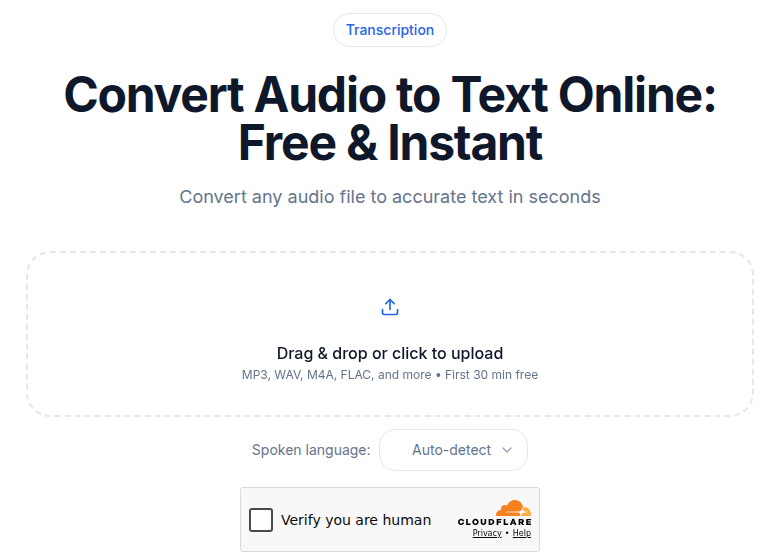 ConvertAudioToText audio upload interface
A Quick Tool Comparison
| Tool | Primary Category | Free Tier | Paid From | Best For |
|---|---|---|---|---|
| Adobe Podcast Enhance Speech | Noise reduction | 30 min/file, 1 hr/day | Not confirmed from vendor | Quick browser-based cleanup |
| Krisp | Real-time noise removal | 60 min/day | $8/mo (annual) | Live calls and meetings |
| NVIDIA Broadcast | Real-time noise/echo | Free with RTX GPU | Free (hardware required) | Streamers, RTX owners |
| Descript Studio Sound | Noise + dereverb | 100 AI credits (one-time) | $16/mo (annual) | Podcast and video editing workflow |
| iZotope RX 12 | Dereverb + repair | None | ~$99 (Elements) | Post-production, heavy repair |
| Auphonic | Loudness normalization | 2 hrs/month | ~$11/mo | Podcast mastering and loudness |
When Enhancement Fits the Transcription Workflow
If your goal is an accurate, clean transcript of a meeting, interview, or podcast, enhance the audio first, then transcribe. The order matters because AI transcription engines work on the speech signal you give them: they do not internally pre-clean your audio before passing it through the model.
A practical workflow for interview recordings: apply Adobe Podcast Enhance Speech (free) for a fast first pass, check whether any consonants went soft, then transcribe. For recordings with significant room echo, run iZotope RX's Repair Assistant before the enhancer step.
If you just need a clean transcript without installing anything, ConvertAudioToText accepts audio and video files with no signup required. It works best on already-clean source material, so pair it with a brief enhancement pass for noisy recordings.
For detailed guidance on studio-grade workflows using these tools in a production chain, see the companion post AI Audio Enhancement for Studio-Quality Sound.
For platform-specific audio editing considerations, transcription for audio editors covers how transcript-based editing tools like Descript fit into the full production chain. And if transcription accuracy benchmarks matter to your decision, transcription accuracy explained has the data.
FAQ
What is AI audio enhancement?
AI audio enhancement is automated processing that removes background noise, reduces room echo, and normalizes loudness in voice recordings. Unlike traditional manual EQ and compression workflows, modern AI tools analyze the speech signal and apply targeted corrections without requiring deep audio engineering knowledge.
Does cleaning audio before transcription actually improve accuracy?
Yes, materially. Background noise can reduce AI transcription accuracy by 20 to 50 percentage points compared to the same speech recorded in a quiet room. Running even a free noise reduction pass (such as Adobe Podcast Enhance Speech) before transcription measurably reduces word errors, particularly on filler consonants and low-energy phonemes. The caveat is avoiding over-processing: aggressive settings can clip soft consonants and introduce new transcription errors.
What is the difference between noise reduction and dereverberation?
Noise reduction targets additive signals: steady hum, fan noise, air conditioning, traffic. Dereverberation addresses room acoustics: the echo and reflections that occur when sound bounces off hard surfaces before reaching the microphone. Many tools do both to varying degrees, but iZotope RX and Descript Studio Sound are the strongest options for reverb problems specifically.
Are any AI audio enhancement tools free?
Several. Adobe Podcast Enhance Speech is free for files up to 30 minutes and 500 MB, with a 1-hour daily cap. Auphonic is free for 2 hours of processed audio per month. NVIDIA Broadcast is free software for users with compatible RTX GPU hardware. Krisp offers 60 minutes of real-time noise cancellation per day on the free tier. Each covers a different use case, so the right choice depends on whether you need file-based processing, real-time call cleanup, or loudness normalization.
Sources
- Adobe Podcast plans page: https://podcast.adobe.com/en/plans (checked July 2026)
- Adobe Podcast Enhance Speech feature page: https://podcast.adobe.com/en/enhance (checked July 2026)
- Descript pricing: https://www.descript.com/pricing (checked July 2026)
- Descript Studio Sound: https://www.descript.com/studio-sound (checked July 2026)
- Auphonic pricing: https://auphonic.com/pricing (checked July 2026)
- Krisp pricing: https://krisp.ai/pricing/ (checked July 2026)
- iZotope RX 12 at Sweetwater: https://www.sweetwater.com/store/detail/RX11Adv--izotope-rx-11-advanced-audio-repair-software (checked July 2026)
Try transcription free
Convert any audio or video to clean, unwatermarked text — speaker labels, timestamps, and AI summaries included. First 30 minutes free, no account.
Related Articles
AI Audio Enhancement: The Studio-Sound Pipeline
Learn the exact four-step audio enhancement pipeline (denoise, dereverb, EQ, loudness) with honest tool picks and settings for studio-quality sound in 2026.
AI Audio Editing for Creators: The 2026 Landscape
A workflow-led guide to AI audio editing in 2026: text-based editing with Descript, denoise tools like Adobe Podcast and Auphonic, where transcription fits, and honest pricing.