
Captioning Live Events: CART, ASR, and What the Law Asks
Summarize this article with:
Live event captioning has three realistic options: professional CART (human stenography, 98%+ accuracy, $90-300/hour depending on format), hybrid ASR with a human reviewer, and fully automated ASR. The choice depends on content stakes, whether a Deaf attendee specifically requested CART, and what your legal obligations actually say. WCAG 1.2.4 (Level AA) requires live captions but does not mandate CART by name, though pure ASR is rarely accurate enough to constitute "effective communication" under the ADA. For most mid-size conferences, CART for keynotes and accessibility-requested sessions, combined with platform ASR for routine breakouts, is the right balance.
The most common captioning mistake at live events is treating it as a last-minute audio add-on rather than a communication service that requires the same lead time as AV setup. This post covers the three main approaches, professional CART, hybrid ASR-with-reviewer, and fully automated captions, what they actually cost, what the law requires, and how to plan for events of any size.
Why Captioning Matters at Events
About 15% of U.S. adults report some difficulty hearing, according to CDC data from the National Health Interview Survey. At a 500-person conference that is roughly 75 people who benefit from captions, with a smaller subset who need them to participate at all. That is before accounting for non-native speakers, attendees in noisy overflow rooms, and anyone watching the recorded archive after the event.
Captioning is also not just a hearing issue. International conferences regularly see attendees who understand a language in written form better than spoken, especially when speakers have unfamiliar accents. The practical beneficiary count is always higher than the number of people who explicitly requested an accommodation.
The Three Approaches
CART, hybrid, and automated ASR are not interchangeable, each sits at a different point on the cost-accuracy curve.
CART (Communication Access Real-Time Translation)
A trained stenographer listens and types using a stenotype machine, projecting text in near-real-time. Accuracy runs 98%+ with a prepared captioner. For events longer than four hours, two captioners rotating is the industry standard to prevent fatigue-induced errors.
Verified 2025-2026 pricing from Karasch and comparable providers:
| Format | Rate range |
|---|---|
| Remote CART (webinars, virtual meetings) | $90-$185/hour |
| Remote broadcast CART (live-streamed) | $175-$230/hour |
| Onsite CART (in-person conferences) | $160-$290/hour |
| Onsite broadcast CART | $190-$300/hour |
| Add-on: Spanish or French CART | +$35/hour |
These are ranges, not fixed quotes. Final cost depends on subject complexity, captioner certification level, location, and booking lead time. Last-minute bookings carry premiums; booking four or more weeks out typically secures the lower end of the range.
Hybrid ASR with Human Reviewer
ASR generates captions in real time; a human moderator monitors and corrects errors as the session runs. Services like Verbit and Ava Scribe offer this targeting approximately 99% accuracy in real time. Cost falls between automated ASR and full CART, though pricing varies by provider and is typically custom-quoted.
StreamText offers a transparent ASR-only tier at $0.27/minute (reduced from $0.36 as of May 2025), which is about $16 for a 60-minute webinar. Adding a human reviewer to that pipeline increases cost but also pushes accuracy toward CART territory.
My take: for mid-size conferences with technical content, the hybrid model is the right default for most sessions. Reserve full CART for keynotes, any session where a Deaf attendee has specifically requested it, and government or legal proceedings where accuracy is non-negotiable.
Platform ASR (Built-In Captions)
Zoom, Microsoft Teams, and Google Meet all include live captioning. Verified accuracy in practice: Zoom is estimated around 80% on controlled content; Teams runs 85-90% with Copilot. Both figures drop with accents, crosstalk, and specialized vocabulary.
Platform captions are genuinely useful as a baseline for routine internal meetings and low-stakes webinars. For any session where Deaf or hard-of-hearing attendees are expected, or where content accuracy matters, built-in ASR alone is not sufficient.
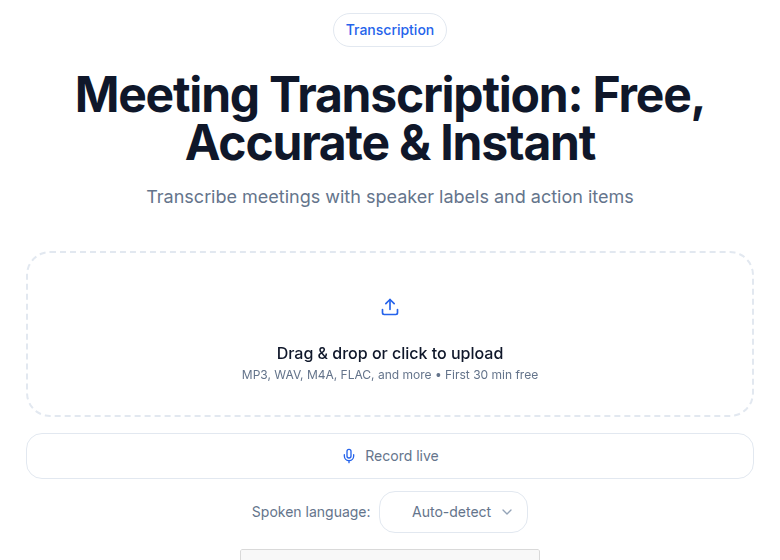 CATT meeting transcription interface
What the Law Actually Requires
The ADA requires effective communication, not a specific technology. Under the ADA's auxiliary aids and services framework, covered entities, Title II (state and local governments) and Title III (businesses and nonprofits open to the public), must provide communication access for people with disabilities. CART is explicitly listed as an example, not the only compliant option.
WCAG 1.2.4 (Level AA) requires that live synchronized media include captions. It does not mandate CART by name. However, the W3C notes that automatic captions alone are "not sufficient" unless they are accurate enough to convey meaning, a standard that raw platform ASR routinely fails to meet for complex content.
Two facts that are often overclaimed:
First, CART is not categorically required by law for all live events. The standard is effective communication. A high-accuracy hybrid service that hits 99% accuracy may satisfy the requirement; pure ASR at 80% almost certainly does not for a Deaf attendee who needs captions to participate.
Second, the DOJ's 2024 Title II rule applies WCAG 2.1 Level AA directly to state and local governments, with compliance deadlines of April 24, 2026 (entities serving 50,000 or more residents) and April 24, 2027 (smaller entities). This covers live-streamed city council meetings, public hearings, and similar government events, not private conferences.
When a specific Deaf or hard-of-hearing attendee requests CART as their accommodation, that request generally controls what you need to provide. Offering ASR-only over a CART request is a meaningful legal and ethical risk. See accessibility laws by country for the international regulatory picture.
Setting Up Captions Visually
Where captions appear matters as much as how they are generated.
Below the main projection screen is the most inclusive in-room setup. Everyone sees captions without needing a personal device. It requires AV system integration and testing in advance.
On a dedicated caption screen beside the stage is easier to integrate and common at mid-size conferences. Position it where Deaf attendees can see both the speaker and the screen without head-swiveling.
Personal device delivery via a web app (StreamText, Ava, etc.) works well for hybrid events where remote attendees join a live stream. It is a reasonable supplement, not a substitute for in-room display.
In the video stream for online or hybrid events: open captions baked into the stream, or closed captions via the platform's caption API. For Zoom specifically, CART providers connect through Zoom's closed caption API token, hosts enable it in Settings, copy the token, and share it with the provider before the session starts.
For larger events, visible-to-everyone captions (on-screen in the room, in-stream online) is the inclusive default. Personal-device-only is a fallback, not a first choice.
Pre-Event Preparation
Captioning quality improves significantly with preparation, whether you use CART or ASR.
Share speaker lists with names spelled correctly. CART captioners program proper nouns into their steno dictionaries before the event. ASR services with custom vocabulary configuration let you pre-load the same terms. Either way, doing this prevents "John Smith" from becoming something phonetically plausible but wrong.
Send slide decks in advance. Technical terminology, acronyms, and product names become problems mid-session if the captioner is seeing them for the first time. For ASR, load custom vocabulary in the service's admin panel.
Run an audio test 24-48 hours before the event. Test the actual microphone feed the captioner will receive, not just the in-room audio. Verify latency, caption display, and delivery format (in-room, stream, personal device) before the live audience arrives.
Brief speakers. Ask them to speak at a measured pace, avoid talking over each other, and identify themselves when joining a multi-speaker discussion. Small adjustments make a measurable accuracy difference, especially for ASR.
Post-Event Workflow
Live captions satisfy the real-time requirement (WCAG 1.2.4). The recording's captions or transcript satisfy the durable artifact requirement (WCAG 1.2.2 for pre-recorded synchronized media, 1.2.8 for media alternatives). Both are needed for full compliance.
After the event:
- Export the live caption file from the captioning service (most export .txt, .vtt, or .srt).
- Save the audio or video recording.
- Upload the recording to audio-to-text for a high-quality AI transcription pass.
- Use the AI transcript as the base for correction, it is typically cleaner than the live caption file for post-event review purposes.
- Human-review for names, technical terms, and speaker labels.
- Publish the corrected transcript as a downloadable accessibility artifact alongside the recording.
- Generate SRT or VTT files for captioned video playback if the recording will be made publicly available. See how to create an SRT file for the format details.
If your event has multiple recorded sessions across two or three days, the post-event transcription volume can be significant. If you need clean transcripts without a meeting bot or enterprise contract, ConvertAudioToText's audio-to-text tool handles batch audio uploads without file-count limits on paid plans.
Budgeting by Event Type
Real cost ranges based on verified 2025-2026 provider pricing:
Small webinar (1-2 hours):
- Platform built-in ASR: free
- Dedicated ASR service (e.g., StreamText): roughly $16-32
- CART (remote): $180-370
Single-day conference, single track:
- ASR for all sessions: $100-300
- CART for keynotes, ASR for breakouts: $500-1,200
- Full CART: $1,500-3,000
Three-day multi-track conference:
- ASR-heavy approach: $600-2,500
- Mixed CART/ASR by session: $4,000-12,000
- Full CART across all sessions: $15,000-40,000+
The mixed approach, CART for keynotes and accessibility-requested sessions, hybrid ASR or dedicated ASR service for the rest, hits the right balance for most events. Rough planning guidance from accessibility practitioners: allocate 1-3% of total event budget for captioning and related accessibility services, scaling toward the higher end for academic or government events where compliance exposure is higher.
Event Type Specifics
Multi-Track Conferences
With parallel sessions, you face capacity constraints. The practical default: CART for plenary and keynote sessions, dedicated ASR service for breakouts, CART on request for any session a Deaf attendee selects. For events where Deaf attendees are expected (e.g., disability conferences, professional associations with known Deaf membership), treat CART-by-request as a guaranteed line item in the budget, not a variable.
Government and Public Meetings
State and local government entities face the hardest legal obligations here. Live-streamed public meetings, council sessions, hearings, school board meetings, must meet WCAG 2.1 Level AA under the DOJ's 2024 rule. Platform ASR alone does not reliably meet the effective communication standard. If your jurisdiction's compliance deadline (April 2026 or April 2027) is approaching, verify your current captioning solution against W3C accuracy guidance before the deadline, not after a complaint. For broader context on public-sector obligations, see accessibility laws by country.
Hybrid Events (In-Person Plus Virtual)
Captioning needs to serve both audiences simultaneously. In-room attendees need a caption display they can see; remote attendees need captions in the video stream. Test both delivery paths before the live event. For Zoom-based hybrid sessions, the CART provider connects via the Zoom caption API token, do not enable Zoom's automatic captions at the same time, as they conflict.
Corporate All-Hands Events
Often under-captioned because they feel informal. Microsoft Teams, Zoom, and Google Meet all have built-in captions that are worth enabling by default for company-wide events. If the company has Deaf employees, ask them directly what works and provide CART or hybrid captioning if they request it. Building this into standard all-hands planning removes the scramble when a request arrives.
Single-Speaker Webinars
The easiest case. Platform ASR with clean audio from a headset microphone and a single speaker delivers reasonable results for routine sessions. For anything recorded and published, add a human correction pass on the auto-generated transcript before posting.
Communicating With Attendees
Make captioning availability visible before registration closes. Attendees with disabilities often pre-screen events based on what is available. Not advertising that captions exist means losing those attendees before they even sign up.
Include in registration:
- An accessibility accommodations field asking what attendees need
- A description of what captioning is available and how to access it (room display, personal device, in-stream)
- An explicit note if CART is available on request, and the deadline to request it (providers typically need 2 weeks minimum notice)
For in-person events, physical signage indicating caption display locations helps first-time attendees orient quickly.
Working With Deaf and Hard-of-Hearing Attendees
When a Deaf or hard-of-hearing attendee registers:
- Confirm their specific preference. CART, ASR, and sign language interpretation are different services with different use cases. Do not substitute one for another without confirming it works for them.
- Confirm seating. Attendees who lipread may need front-row seats; those relying entirely on captions may want to sit near the caption display, not near the speaker.
- Confirm networking accommodations. Q&A sessions, social events, and hallway conversations are often the hardest to access. A brief pre-event conversation about what helps turns a generic accommodation into one that actually works.
Treating this as a conversation rather than a checklist is the practical difference between an accommodation that functions and one that technically exists.
A Pre-Event Checklist
For any event with captions:
- Caption budget allocated, vendor contracted
- CART or ASR/hybrid vendor selected based on content complexity and attendee needs
- Speaker materials (names, slides, topics) shared with captioning team at least one week in advance
- Audio test completed 24-48 hours before event
- Caption display configured and tested at the venue
- Online stream caption feed tested end-to-end
- Attendees notified of caption availability and how to access it
- Post-event recording transcription planned and tool selected
Completing this before the event week makes captioning routine rather than emergency procurement. The quality difference between a prepared captioning setup and a last-minute one is substantial, particularly for CART where the captioner's custom dictionary preparation directly determines accuracy on your specific content.
For related accessibility topics, see transcripts for screen reader users for post-event documentation and WCAG compliance with transcripts for the broader compliance framework.
Frequently Asked Questions
Is CART legally required for live events, or is ASR enough?
The ADA requires effective communication, and WCAG 1.2.4 (Level AA) mandates live captions for synchronized media, but neither standard names CART specifically. The W3C notes that automatic captions alone are rarely accurate enough to satisfy the effective communication requirement for deaf and hard-of-hearing attendees. If a specific attendee requests CART as their accommodation, that request generally controls. For public-facing government entities, the DOJ's 2024 Title II rule enforces WCAG 2.1 Level AA compliance, with deadlines of April 2026 (large entities) and April 2027 (small entities).
What does CART actually cost for a conference?
Verified 2025-2026 rates: remote CART runs $90-$185/hour; onsite CART runs $160-$290/hour; broadcast CART (events with live streaming) runs $175-$300/hour. For sessions over 4 hours, the industry standard is two captioners trading off to prevent fatigue errors, which roughly doubles the labor cost. These are ranges, final pricing depends on subject complexity, location, certification level, and booking lead time.
How accurate is automated captioning on Zoom, Teams, or Google Meet?
Platform built-in captions typically deliver around 80-90% accuracy on clean, single-speaker audio, well below the 99% industry standard for WCAG compliance. Accuracy drops with accents, crosstalk, technical vocabulary, and poor audio. For compliance-critical sessions, platform ASR alone is not a substitute for human captioning. Dedicated ASR services like StreamText (currently $0.27/minute as of May 2025) with a human reviewer in the loop are a middle path.
What is the hybrid captioning model, and when does it make sense?
Hybrid captioning uses ASR to generate real-time text, with a human reviewer monitoring and correcting errors as the session runs. It delivers significantly higher accuracy than raw ASR at lower cost than full CART. Services offering this model include Verbit and Ava Scribe, targeting approximately 99% accuracy in real time. It works well for mid-stakes content: corporate all-hands events, multi-track conference breakouts, and webinars where CART is not budgeted but accuracy still matters.
Should I caption breakout sessions at a multi-track conference?
At minimum, CART or hybrid captioning should cover any session that a Deaf or hard-of-hearing attendee selects or is likely to attend. For general breakout sessions, platform ASR is acceptable as a baseline if audio setup is clean and you plan to correct the transcript before publishing. The practical approach most large conferences use: CART for keynotes, hybrid or dedicated ASR services for breakouts, and post-event transcription (from the recording) for the durable accessibility artifact.
Sources
- ADA.gov: Effective Communication
- W3C Understanding WCAG 1.2.4: Captions (Live)
- 3Play Media: Legal Requirements for Live Captioning
- Karasch: CART Captioning Pricing and Packages
- StreamText: ASR Pricing (30% reduction announcement, May 2025)
- CDC: Hearing Difficulties Among Adults, United States 2019
- Interprefy: How Accurate Are Captions in Zoom, Microsoft Teams, and Interprefy?
- Recap Innovations: ADA Title II Video Accessibility Requirements
- Otter.ai Pricing 2026
- NAD: When Is Captioning Required?
Try transcription free
Convert any audio or video to clean, unwatermarked text — speaker labels, timestamps, and AI summaries included. First 30 minutes free, no account.
Related Articles
Accessibility Captions and ADA Compliance: A 2026 Guide
How to caption video for ADA compliance: the real WCAG levels, the DOJ Title II deadlines after the 2026 extension, Section 508, the EU Accessibility Act, and the AI-plus-human workflow that actually
Accessibility for Online Courses: The 2026 Compliance Checklist
A practical checklist for making online courses accessible: captions, transcripts, live sessions, course materials, and the legal requirements under ADA Title II and Section 504.