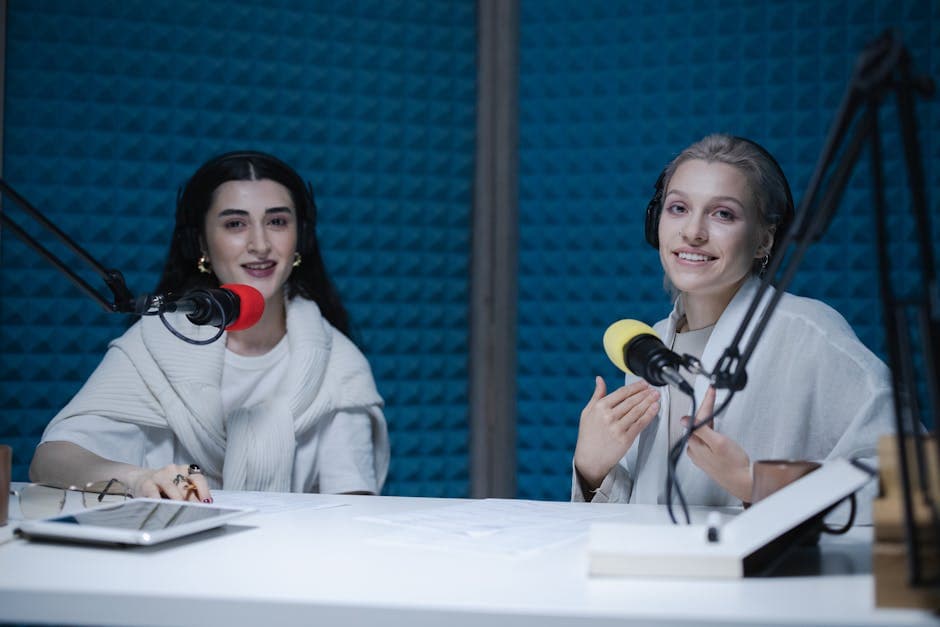
Study With Podcast Transcripts: Turn Audio Into Notes That Stick
Summarize this article with:
Listening passively to educational podcasts rarely transfers to long-term memory without review. Converting episodes to text lets you highlight, search, and quiz yourself, the three mechanisms that actually build durable knowledge. This guide covers which podcasts are worth transcribing, a step-by-step workflow, tool trade-offs, and a special note on language learners using transcripts to slow content down.
Turning an educational podcast into a usable text document takes under two minutes. What it gives you is a searchable, citable, highlightable artifact you can study from rather than a memory that fades by Thursday.
The science is not complicated. Without active review, most people lose the majority of new information within 24 to 48 hours regardless of the medium. What actually slows that loss is retrieval practice: the act of pulling information back out of memory, whether through quiz questions, writing summaries, or searching a transcript for something you half-remember. A transcript is the scaffold that makes retrieval practice possible for audio content.
Which Podcasts Are Worth the Effort
You do not need to transcribe everything you listen to. The bar is whether you would benefit from searching the episode in three weeks.
Topic-dense interviews are the clearest case. Shows like Lex Fridman, Conversations With Tyler, and Invest Like the Best regularly pack 30 to 50 specific references per episode: researcher names, paper titles, company names, operational decisions. You will almost certainly want to look some of those up, and a transcript lets you find them without scrubbing audio.
Educational deep dives reward transcription because of their density and length. Hardcore History episodes run four to six hours. In Our Time covers a new academic subject each week. Radiolab builds layered arguments with named sources. Any of these contains more citable, searchable content than most textbook chapters.
Academic feeds are underused. Yale Open Courses, Stanford Engineering, and the LSE Public Lectures all distribute episodes as podcasts. These are structured lectures with defined claims you may want to quote or build on. Treating them like conversation audio wastes the material.
Language learners have a specific use case. If you are learning a language and listening to native-speed content, a transcript lets you pause and read when you miss something rather than re-listening at 0.5x. You can scan for vocabulary in context, note grammar patterns, and verify whether what you heard matches what was said. Podcasts aimed at intermediate learners, like "News in Slow French" or "Deutsch Warum Nicht," often provide transcripts with their episodes. If they do not, generating one takes 90 seconds.
A Workflow That Actually Works
Step 1: Download the episode. Most podcast hosts include a direct MP3 link in the RSS feed or show notes. Podcast apps vary: many apps on Android let you export files directly, while Apple Podcasts and Spotify are more restrictive. Your cleanest path is usually the podcast's own website or the RSS feed URL, which you can paste into a browser or a feed reader to grab the audio file.
Step 2: Transcribe it. Upload the audio file to a transcription tool. For an occasional episode, ConvertAudioToText's free tier runs your first file on the premium engine (up to an hour), then keeps transcribing free: up to 30 files a day, up to 30 minutes each. The Pro plan at $14.99 per month (or $99.99 per year) covers unlimited transcription across 99+ languages, which is the right structure for a back-catalog study habit where you do not want per-episode costs to accumulate. For longer or non-English podcasts, speaker diarization labels each voice automatically. See our audio-to-text tool for the upload flow.
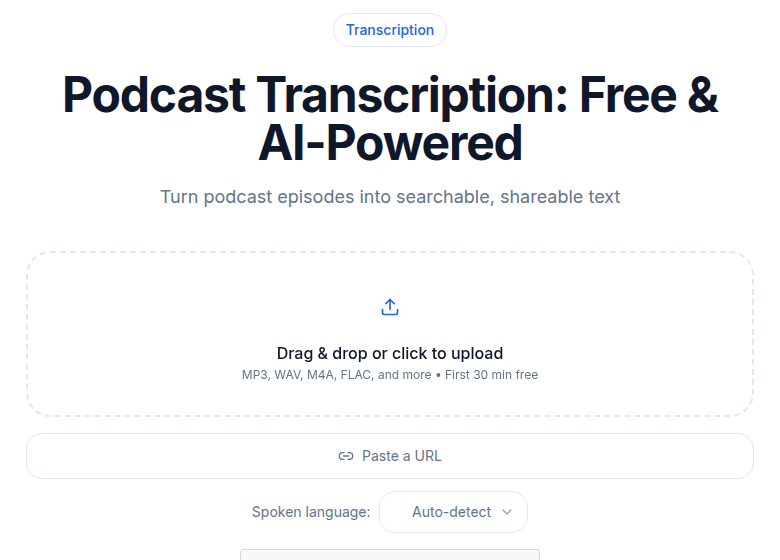 The CATT podcast transcription tool interface
Step 3: Skim first, read second. A 90-minute podcast transcript runs around 12,000 words. You are not going to read it front to back. Skim by scanning headers, the first sentences of topic shifts, and any names or terms you remember from the listen. When something matches a moment you found interesting, stop and read carefully.
Step 4: Extract three to five passages. Copy them into your notes app, whether that is Obsidian, Notion, or a plain text file in a folder called "podcasts." For each passage, write one sentence in your own words explaining why it matters to you. That paraphrase is the retrieval practice. It forces you to do something with the information rather than park it.
Step 5: Write one quiz question per episode. Just one. "What argument did the guest make about why antibiotic stewardship programs fail?" A week later, try to answer it before looking. This is what the cognitive science literature calls the testing effect, and it consistently outperforms re-reading and re-listening for durable retention.
The first time through, this takes about 30 minutes per episode. After three or four repetitions, the skim-and-extract step drops to 15 minutes. The transcription itself runs in the background while you work on a previous episode's notes.
Tools: What Actually Fits the Study Use Case
The study use case is specific: you want a clean text export you can search and annotate. You do not need meeting bots, video editing, or a collaboration suite. That distinction matters because tools priced for those features charge accordingly.
| Tool | Pricing model | Monthly limit | Study use fit |
|---|---|---|---|
| Otter.ai | Subscription | 300 min free / 1,200 min Pro ($16.99/mo) | Weak: only 3 lifetime file imports on free; Pro allows 10/month |
| Descript | Subscription | 60 min free / media hours on paid tiers | Weak: designed for video editing, not plain text export |
| Happy Scribe | Subscription + overage | 120 min (Basic, ~$17/mo); overage at €0.20/min | Adequate for occasional use; expensive per-episode at scale |
| ConvertAudioToText | Flat unlimited (Pro) | Unlimited at $14.99/mo or $99.99/yr | Strong for back-catalog study: no per-episode cost |
My take: Otter is built around live meeting recording. The per-minute cap and strict file import limit on free and Pro make back-catalog podcast study expensive and slow. Descript is an excellent editor if you are producing audio, but you are studying audio, not editing it. Happy Scribe's overage model works fine if you transcribe two or three episodes a month; at 90-minute episodes that is already 270 minutes of potential overage risk. For heavy study habits, a flat unlimited plan removes the mental overhead of counting minutes. If you only need a burst of transcription, the $9.99 one-time Weekly Pass covers 1,200 minutes (20 hours) for 7 days, which is our cheapest no-setup option at $0.50 per hour.
You can also find detailed comparison notes in our transcription pricing comparison if cost per hour is your primary filter.
Speed Listening: What the Research Actually Says
Many students listen at 1.5x or 2x speed to move through more material. The evidence here is more nuanced than conventional wisdom suggests.
Research on playback speed finds minimal comprehension costs up to about 1.5x for most listeners. Above 2x, performance reliably drops. The earlier common claim that comprehension falls "above 1.3x" is not well supported by the experimental literature; the 1.5x range is where most people do fine, and 2x is the threshold where degradation becomes consistent.
For unfamiliar content, lower speeds help. If you are listening to a podcast in your target language, slower playback combined with the transcript lets you process both the written and spoken form simultaneously, which is a well-established technique in language acquisition.
The practical pattern: listen at 1.5x on the first pass to decide whether an episode is worth the deeper study. Read the transcript carefully for the ones that are. That two-step approach covers more ground than reading everything and skips nothing important.
What to Do With the Archive
The least-discussed benefit of transcribing podcasts is the searchable history you build over time. One year of weekly podcast transcription creates roughly 150 text documents you can search with any text editor, note-taking app, or a local AI assistant you point at the folder.
Some students add transcripts to Obsidian or Notion alongside their course notes so that lecture material and podcast material live in the same search space. Others use the folder as a personal knowledge base and query it when they are writing papers or preparing presentations.
The pattern scales: two years of transcripts from clinical-reasoning or engineering podcasts becomes a reference library of expert thinking you can interrogate in seconds rather than re-listen to in hours. For course work, this archive also gives you a citable primary source when a podcast covers something your textbook handles poorly. See how to transcribe a lecture for notes for the classroom version of the same workflow.
If you want to go deeper on making podcast transcripts part of a structured study plan, our posts on note-taking with AI and exam prep from lecture transcripts cover the adjacent territory.
Start With Five Episodes
The fastest way to know whether this changes your learning is to pick five recent episodes you wish you remembered better and run the workflow on them. Spend an hour with the transcripts. Try the quiz-question pattern. A month later, check whether you retained more from those five than from five comparable episodes you only listened to.
If yes, you have a new habit. If not, you saved an hour and can move on.
FAQ
Which file formats work for transcribing podcasts?
Most podcast episodes download as MP3 files, which every major transcription tool accepts. Apple Podcasts-native files use M4A; those work equally well. If you are pulling from a YouTube lecture or video feed, the audio is usually extracted automatically before transcription. Format is rarely the bottleneck.
How accurate is AI transcription for podcast content?
Accuracy varies by audio quality and speaker style. Studio-recorded podcasts with single or dual speakers in English typically land at 90 to 95 percent word accuracy with current AI engines. Phone-quality recordings, heavy accents, or technical jargon push that down. Speaker diarization (labeling who said what) is available on most paid tools and is useful when you have multiple guests.
Can I use a podcast transcript as an academic citation?
Yes, with conditions. Most style guides (APA, MLA, Chicago) have formats for podcast citations. If the show publishes an official transcript on their site, cite that directly. If you generated the transcript yourself via AI, note the tool and date in your citation as you would for any primary-source transcription. Verify names, titles, and data against the original before citing.
Is it legal to transcribe a podcast I did not produce?
Transcribing a podcast for personal study use generally falls within fair use in the US. Republishing that transcript publicly, using it commercially, or redistributing it without permission is a different matter and likely an infringement. When in doubt, check the show's terms of use. Most educational and academic podcast producers actively encourage transcript-based study.
Sources
- Otter.ai Pricing, plan limits and file import caps verified July 2026
- Happy Scribe Pricing, subscription tiers and overage rate verified July 2026
- Descript Pricing, plan names and media minute limits verified July 2026
- ConvertAudioToText Pricing, free tier and Pro plan details verified July 2026
- PMC: Multimodal Evaluation of Podcast Learning and Retention, EEG study on podcast learning outcomes
- Work-Learning Research: Learning Pyramid Myth, critique of fabricated retention percentages
- PMC: Retrieval Practice Enhances New Learning, testing effect research
- Springer: Effect of Playback Speed on Comprehension, speed listening research
Try transcription free
Convert any audio or video to clean, unwatermarked text — speaker labels, timestamps, and AI summaries included. First 30 minutes free, no account.
Related Articles
Spotify Transcript Extractor: How to Copy and Download Episode Text
Get a Spotify podcast transcript you can copy and download: paste a public episode link, 30 minutes free with no signup, TXT or SRT files on eligible plans.
Focus Group Transcription for UX Researchers: Turn Multi-Speaker Audio Into Usable Evidence
A practical guide to focus group transcription for UX and insights teams. See how CATT handles speaker labels, timestamps, AI summaries, and clean export.