
Transcription for Newsrooms: Rollout, Costs, and Workflow
Summarize this article with:
Newsrooms that pick a transcription tool without thinking at org scale end up with per-reporter subscriptions that cost 5-10x what a coordinated rollout would. This guide covers how to evaluate tools for the whole desk: cost per seat, source-protection risk, style-guide consistency, editor verification flows, and what procurement actually needs from a vendor before sign-off.
A newsroom choosing its transcription stack is making a different decision than a freelance reporter picking a personal tool. The decision sits at the intersection of budget approval, IT security review, editorial consistency, and source protection. Getting it right saves real money and keeps legal counsel out of your inbox.
This guide covers the org-level rollout: what tools work at team scale, what they actually cost when you multiply per-seat pricing by headcount, how to handle the security review, and how to build a workflow your editor can trust.
Why the Tool You Pick for One Reporter Does Not Scale to the Whole Desk
The most common mistake is letting tool choice happen reporter by reporter, then discovering you have five subscriptions producing five inconsistent output formats.
When a reporter on the courts beat uses Otter, the politics desk uses Trint, and the investigative team uses Rev, editors get different speaker-label formats, different timestamp conventions, and different export options. Fact-checking a quote becomes a hunt through three different interfaces. Standardizing retroactively costs more than choosing once.
The org-level decision also changes the cost math entirely. A tool that looks cheap per reporter often costs less than a flat-rate alternative at one seat but far more at ten.
The Real Cost at Team Scale
For context, here are the verified pricing models for the main options as of mid-2026. Where I could not verify a figure directly from the vendor's own page, I describe the pricing model instead.
Per-seat subscription tools:
- Otter.ai Business: $19.99 per user per month billed annually ($30 monthly). A 10-person desk costs approximately $2,400 per year. Includes unlimited meeting transcription, 6,000 imported-file minutes per user monthly, and calendar-connected bot joining. SSO and SCIM are enterprise-only.
- Trint Advanced: Around $60 per seat per month on annual billing (the monthly rate is higher; exact prices require a demo quote). A 10-person desk runs roughly $7,200 per year. Built with newsroom workflows in mind: Story Builder for assembling quotes across interviews, ISO 27001 certification, and EU or US data residency options. SSO and audit logs are enterprise tier.
- Rev Pro: $47.99 per seat per month billed annually (10,000 AI minutes per seat monthly). A 10-person desk costs approximately $5,760 per year. Human transcription is available as a service add-on at $1.50 to $1.99 per minute, depending on turnaround.
Per-minute pay-as-you-go:
- Rev AI transcription: $0.25 per minute ($15 per audio hour) on a pay-as-you-go basis.
- GoTranscript AI: approximately $0.20 per minute pay-as-you-go, or around $0.02 per minute via monthly subscription.
- GoTranscript human transcription: approximately $1.02 per minute for standard delivery.
What that math means for a reporter-heavy team:
A reporter on a six-month investigation with 100 hours of source audio owes $1,500 in AI transcription at Rev's pay-as-you-go rate, or $9,000+ in human transcription at standard rates. At ten reporters each running 20 hours of audio per month, per-minute pricing reaches $36,000 per year for AI alone. Flat-rate unlimited tools change that calculation substantially. The decision of which model to use is covered in more depth at unlimited vs metered transcription pricing.
My take: for any newsroom transcribing more than 30 hours per month across the team, per-minute pricing is the wrong model. The question becomes which flat-rate tool fits the org's security and workflow requirements.
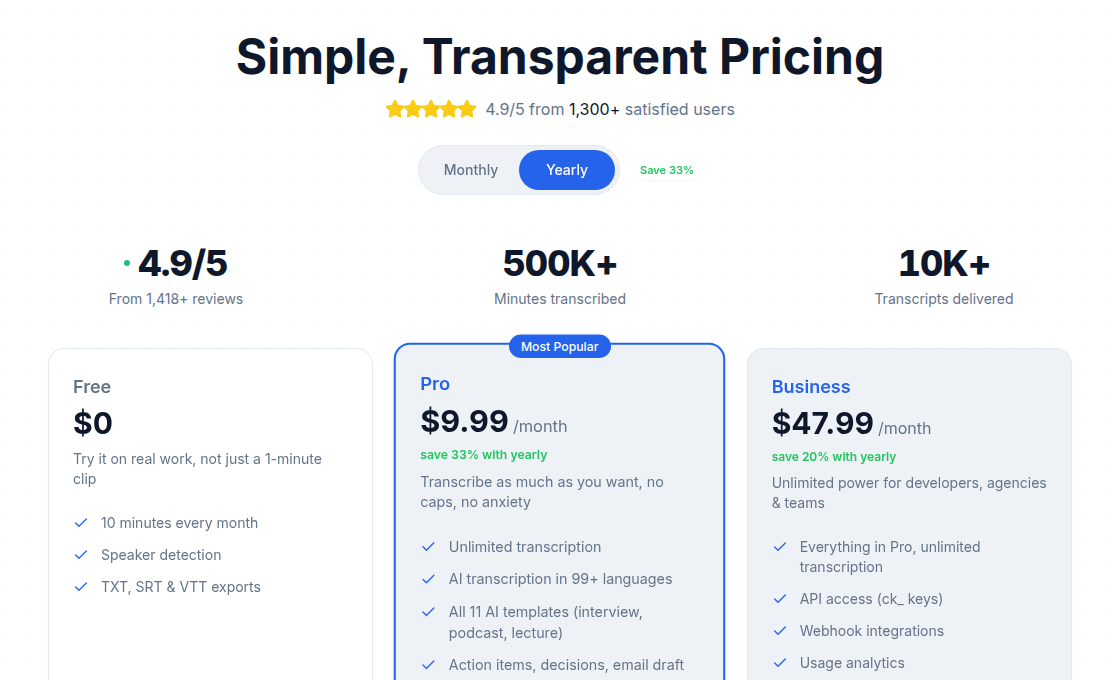 Pricing comparison view showing plan tiers and included minutes
What Security Review Actually Needs
Most newsroom IT and legal teams ask the same four questions when vetting a transcription vendor. Having answers to these before you go to procurement shortens the approval cycle significantly.
1. Where is audio stored, and for how long?
All major SaaS transcription tools store audio server-side. That is the baseline. The differences are in retention policy, deletion controls, and whether the vendor trains its models on your content. Trint states it does not train on user transcripts. Most major vendors offer DPAs (Data Processing Agreements) on request. Get the DPA before sign-off, not after.
2. Can audio be subpoenaed from the vendor?
This is the source-protection question. A cloud vendor that holds your audio can be served a legal demand for it. The Freedom of the Press Foundation's assessment of major transcription services found that most cloud providers have the technical ability to access uploaded audio, and none of the services reviewed publish transparency reports about law enforcement data requests.
For investigations involving sensitive sources, the practical answer is local processing: running Whisper locally on a journalism-owned machine keeps audio off any third-party server. As of 2026, self-hosted Whisper installs no longer require ML expertise. A one-line install or a desktop app gives production-grade transcripts without a cloud data dependency. This is not cheap to set up organizationally, but it is the cleanest answer for high-sensitivity work.
For most day-to-day work, a vendor with a strong DPA and explicit no-training policy is adequate. Match the tool to the threat model, not to a uniform policy.
3. Does the vendor offer EU data residency?
For outlets with EU operations, GDPR requires clarity on where personal data is processed. Trint offers EU or US processing on request at the Enterprise tier. Other major vendors offer EU regions on enterprise contracts. Confirm in writing before onboarding EU-source audio.
4. Does the vendor support SSO and audit logging?
Both are typically enterprise-tier only across Otter, Trint, and Rev. If your IT team requires SSO for all third-party tools, factor the cost of an enterprise contract into the evaluation. Skipping SSO is a trade-off, not a default.
For the recording consent side of the equation, see the separate guide on recording interviews legally by state and court admissibility of AI transcripts. This post does not constitute legal advice. State statutes change, and your editorial counsel should confirm applicable rules before policy is set.
Accuracy Expectations by Audio Type
Before rollout, run the tools against your actual audio, not vendor demo clips. Here are realistic baselines based on newsroom-typical recordings.
| Audio type | Typical WER | Editing time |
|---|---|---|
| Single speaker, lapel mic, quiet room | 2-5% | Light proof |
| Press conference, podium mic | 4-8% | Moderate, name corrections |
| Phone interview, decent line | 5-10% | Moderate |
| Court audio, courthouse system | 8-15% | Moderate, terminology fixes |
| Crowd or street recording | 12-25% | Heavy review |
WER is a floor, not a ceiling. Proper nouns, names, and technical or legal terminology raise error rates even on otherwise clean audio. The practical number to track is how long it takes a reporter to verify and correct a 60-minute transcript, not the WER percentage. For a deeper look at what accuracy metrics mean in practice, see transcription accuracy explained.
For published quotes, every outlet should run a manual verification pass against the source audio. The transcript gets reporters to the right minute and the right sentence. The audio is the source of record.
Speaker Diarization and Style Consistency
Speaker labeling is where inconsistency becomes an editorial problem. When a tool outputs "Speaker 1," "Speaker 2," and "Unknown" with no reliable naming, reporters spend more time correcting labels than writing.
Most enterprise-tier tools offer some form of custom speaker naming or pre-session speaker registration. At the team level, the more important fix is a shared naming convention enforced by editorial policy, not just tooling: speaker labels should match the format used in the publication's style guide, and reporters should correct them before sending transcripts to editors.
If the tool supports multi-speaker diarization well, that becomes a differentiator at the newsroom level. Tools built specifically for journalism workflows (Trint's multi-speaker editor, for instance) handle the interview-plus-reporter pair more reliably than meeting-centric tools like Otter, which are optimized for four-to-twenty participant calls rather than two-person source interviews. For a technical overview of how speaker separation works, see speaker diarization explained.
The Editor Review and Quote Verification Flow
Once transcripts are standardized, the next process question is how editors verify quotes before publication.
The pattern that works well:
- Reporter attaches the transcript and source audio to the story in the CMS or shared folder.
- Timestamps in the transcript correspond to audio position. Any quote in the story gets a timestamp citation in the source document.
- Editors can spot-check any quote against the audio within seconds.
- Legal review, if triggered, has both transcript and original audio as evidence.
The critical discipline is that the audio file must be retained and traceable. Transcripts compressed into plain-text without timestamps lose the verification chain. Most tools export with timestamps by default; confirm this is on before building the workflow around it.
Retention policy is also a legal decision. Some outlets delete audio after a story runs to reduce subpoena surface area. Others retain indefinitely for archive and reuse. Get this in writing with editorial counsel rather than making it an individual reporter's judgment call.
Rolling Out to the Team
The five-step org-level setup:
- Standardize where audio lands. A shared channel, shared drive folder, or direct upload to the transcription tool, with a naming convention (date-source-reporter).
- Set a desk-default tool. Avoid reporter-level tool fragmentation. The same output format across the desk means the editor's review process works identically every time.
- Enforce the timestamp-citation pattern. Every quote that appears in print gets a timestamp reference in the source document. This is an editorial policy, not just a transcription feature.
- Document the retention policy. How long is audio kept? On which storage? Who can delete it and when? Put this in writing.
- Define the security tier for sensitive work. Most audio can go through the standard cloud tool. Source-sensitive recordings need a separate protocol: local Whisper processing or at minimum, a vendor-managed service with an explicit DPA and no model-training clause.
For large outlets evaluating cost and vendor contracts at scale, enterprise transcription pricing covers what to expect at negotiated volume tiers. For investigative teams specifically, transcription tips for investigative reporting covers the source-protection workflow in more depth.
If your newsroom needs individual reporters to handle their own transcription without a meeting bot or a complex team account, ConvertAudioToText offers upload-based transcription with speaker diarization and timestamp export, without requiring a bot join code or calendar integration. It handles the file-upload case that org tools sometimes leave ungated. Free accounts get their first file on the premium engine with speaker labels (up to an hour), then keep transcribing up to 30 files a day, up to 30 minutes each. Reading, editing and copying transcripts is free; TXT downloads are free, and DOCX, PDF, SRT, VTT and JSON downloads after the first file need the Weekly Pass, a minutes top-up or a paid plan.
Common Questions
What is the most cost-effective transcription model for a newsroom with 10 or more reporters?
Per-minute pricing becomes expensive quickly at team volume. A 10-reporter desk each running 20 hours of audio per month spends $36,000 per year at $0.25 per minute for AI transcription. Flat-rate per-seat subscriptions or unlimited-tier plans are the right model at that volume. The break-even point varies by tool, but any reporter transcribing more than 5 hours per month usually comes out ahead on an unlimited plan.
Which transcription tool is best suited for newsroom team collaboration and quote verification?
Trint is built specifically for the journalism production cycle, with a Story Builder for assembling multi-source narratives and ISO 27001 security certification. Otter.ai Business suits meeting-heavy news operations with strong calendar and conference integration. The right fit depends on whether the primary use case is source interviews (Trint) or meeting-style recorded sessions (Otter).
How do cloud transcription tools handle subpoenas and law enforcement requests?
Cloud vendors holding your audio can be served legal demands. Most major services do not publish transparency reports about how frequently they receive such requests or how they respond. For source-sensitive audio, the safest approach is local processing using self-hosted Whisper, which keeps audio off any third-party server entirely.
What security certifications should a newsroom require from a transcription vendor?
At minimum, request a current Data Processing Agreement, confirmation of whether the vendor trains models on user data, and clarity on data residency options. SOC 2 Type II and ISO 27001 are standard benchmarks. SSO (SAML) and audit logging are typically available on enterprise tiers and worth requiring if your IT team mandates them for all vendor tools.
Do newsrooms need different transcription workflows for sensitive investigations versus routine coverage?
Yes. Routine coverage (press conferences, city council, public hearings) is a good fit for standard cloud tools. Sensitive source interviews warrant a separate protocol: local Whisper processing or a vendor with an explicit no-training clause and strong DPA. The threat model differs, and the tool choice should reflect that rather than applying a single solution to all audio.
Sources
- Rev pricing (verified via rev.com/pricing, July 2026): https://www.rev.com/pricing
- Otter.ai pricing (verified via otter.ai/pricing, July 2026): https://otter.ai/pricing
- Trint newsroom features (trint.com/trint-for-newsrooms): https://trint.com/trint-for-newsrooms
- Trint pricing estimates (brasstranscripts.com, secondhand; Trint's own pricing page requires authentication): https://brasstranscripts.com/blog/trint-pricing-2025-premium-journalism-media-costs
- GoTranscript AI pricing: https://gotranscript.com/cheap-automated-transcription-rates
- Freedom of the Press Foundation on transcription tool security: https://freedom.press/digisec/blog/how-secure-are-journalists-favorite-transcription-tools/
- Self-hosted Whisper for journalists (Digital Applied, 2026): https://www.digitalapplied.com/blog/local-speech-to-text-whisper-self-hosted-transcription-2026
Try transcription free
Convert any audio or video to clean, unwatermarked text — speaker labels, timestamps, and AI summaries included. First 30 minutes free, no account.
Related Articles

Ethics of Interview Transcription: Core Obligations
A practical guide to the ethics of interview transcription for researchers: IRB consent scope, anonymization vs pseudonymization, cloud processing disclosure, retention, and participant review.

Fact-Checking From Transcripts: A Practical Workflow (2026)
How journalists and researchers fact-check from interview transcripts. Covers claim extraction, timestamp citation, ASR homophone errors, and audio verification workflow.