Transcription for Screenwriters: Voice Memos to Final Draft
Summarize this article with:
Screenwriters generate far more audio than prose, voice memos, research interviews, writers room recordings, table reads, and pitch rehearsals. Transcription turns those files into searchable text you can mine for dialogue, structure, and research. This post covers the four main workflows, what to look for in a tool, and where to be realistic about what transcription can and cannot do on the way to Final Draft.
A working screenwriter records more than they type. Voice memos on the drive home, post-meeting brain dumps, pitch rehearsals, expert interviews for research, table reads, and writers room sessions all live in audio form first. Transcription is how that spoken work becomes something you can search, annotate, and eventually pour into Final Draft or Highland.
This post covers the four workflows where transcription earns its keep, what to look for in a tool for dialogue-heavy use, and where to set your expectations, because a transcript is not a screenplay and never will be.
Voice Memos: Your Idea Pipeline
The voice memo is the screenwriter's notebook. A 90-second idea spoken into a phone captures tone, dialogue rhythm, and character voice in ways that cold typing misses. The problem is that 200 voice memos with cryptic timestamps are functionally write-only.
Transcription closes that loop. Three patterns hold up in practice.
Daily batch transcription: every evening, every memo from the day gets transcribed and dropped into a writing journal, one entry per day, searchable transcript text beneath it. Notion or Apple Notes both work well here. You can search across months of ideas by keyword.
Episode-level batching: for writers on a series, memos get tagged by episode and filed in the episode bible. When the room needs to revisit an idea from three weeks ago, you search the transcript archive instead of scrubbing audio.
On-demand transcription: the lighter approach. Only transcribe when you are stuck. Run the past week of memos through a tool, skim for material that fits the scene you are writing. Lower overhead, less systematic.
For any of these, the only technical requirement is that the transcript captures your actual speech patterns. More on that in the accuracy section below.
Research Interviews: From Subject Matter Expert to Character Voice
Screenwriters working on real-world subjects spend disproportionate time in interview mode. A biopic, a medical procedural, a documentary-style adaptation, all start with hours of conversation with people who know the world you are writing about.
The transcript is where the interview becomes usable writing material. The workflow that holds up:
- Record the interview. A phone recorder works; a dedicated voice recorder in the center of the table works better for remote interviews captured via speaker.
- Transcribe within 24 hours, while the conversation is still fresh.
- Save the transcript alongside the audio in a project folder.
- Annotate the transcript: mark character voice notes in the margins, tag scene seed ideas, note structural beats.
For multi-speaker interviews, speaker diarization, the automatic labeling of who said what, saves significant cleanup time. See speaker diarization explained for how well current tools handle it and where they still struggle.
For procedural shows where multiple expert interviews feed a single character, having every transcript in a searchable format lets you pull dialogue ideas by topic across the full research base. A cardiologist's offhand phrasing in one interview might be exactly the line your attending physician needs in episode four.
For projects with foreign-language source material, an adaptation of a Brazilian crime novel, an interview conducted in French, native-language transcription is cleaner than translation chains. Transcribe in the source language, then translate a clean text rather than audio. You lose less nuance.
For more on the interview transcription process itself, see how to transcribe an interview recording.
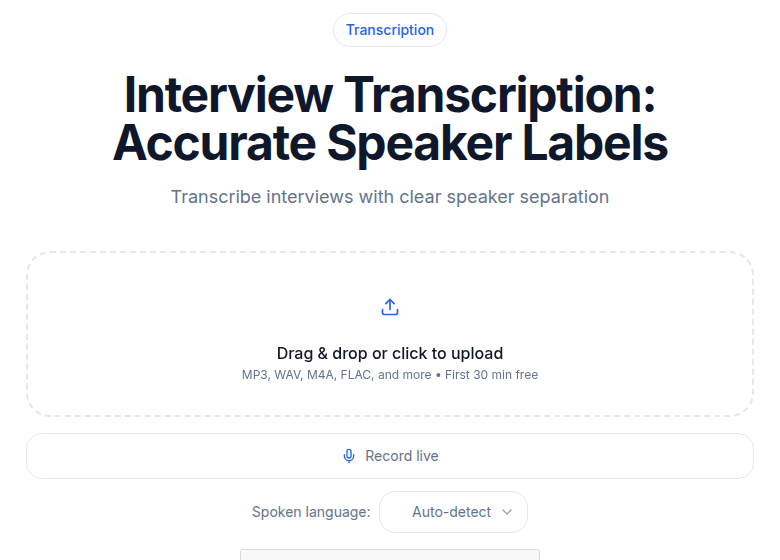 ConvertAudioToText interview transcription tool
Writers Room Sessions: The Heavy and Light Patterns
A working writers room generates hours of recorded conversation per week. Most rooms record themselves, both as a memory aid and as a record of who pitched what (which matters later for credit decisions).
Two patterns for handling the audio.
Light pattern: the room records to a phone or laptop, the audio gets transcribed at end of day, and one person, usually a staff writer or writers' assistant, pulls action items, scene beats, and any confirmed card moves. The full transcript becomes the de facto room minutes.
Heavy pattern: every session is transcribed in full and indexed by topic. When a season finale needs to call back to a half-developed idea from week two, you search the full season's room transcripts for the term and find the original context, including who pitched it and what the room said about it.
For multi-week rooms, the heavy pattern saves dramatic amounts of context-recovery time. The main technical requirement here is reliable speaker labeling, you need to know which voice belonged to which writer, not just that Speaker 1 and Speaker 3 talked for 40 minutes.
Table Reads and Pitch Practice
Two spoken workflows that benefit from transcription that get less attention.
Table reads. Recording a table read is standard practice, but most writers do not transcribe them. That is a missed step. A transcript of the table read lets you see which lines landed flat, which scenes ran long in text form, and where actors stumbled or improvised around something that was not working. You can search the transcript for specific scenes instead of scrubbing audio.
The transcript will not tell you why a scene felt wrong, that still requires your judgment. But it gives you the raw record of what was actually said and where the pauses and rewrites happened.
Pitch practice. Record yourself giving the pitch, transcribe the audio, and read the text back. Hearing the pitch as words on a page exposes pacing problems, weak transitions, and the sections where you are rambling that are invisible while you are performing it. A pitch that sounds energetic in delivery often reads as unfocused on the page. The gap between those two things is something you need to fix before the room.
Accuracy Considerations for Dialogue Work
Screenwriting has a specific quality concern that most use cases do not: character voice. You are not just looking for the words, you want the rhythm, the false starts, the way someone trails off before committing to a thought.
Practical implications for how you configure your tool.
Use verbatim mode when it is available. Deepgram Nova-3 includes a filler-words feature (set via filler_words=true on the API) that captures "um," "uh," and disfluencies alongside the transcript, with no impact on processing speed. For dialogue research, this is the right setting. For clean beat sheets and pitch notes, turn it off.
Insist on word-level timestamps if your tool offers them. Sentence-level timestamps lose the natural pauses that signal beat structure. A speaker who pauses for two seconds mid-sentence is doing something dramatically different from a speaker who does not, and word-level timing preserves that.
On engine choice: Whisper Large-v3 and Deepgram Nova-3 both handle natural speech patterns, false starts, self-interruptions, overlapping responses, more faithfully than older engines. Real-world English WER on interview and conversational audio typically runs in the 8-12% range for both, meaning you will still review and correct, but the baseline is solid. See transcription accuracy explained for what those numbers mean in practice.
A Realistic Note on Format
A transcript is not a screenplay. This is worth saying plainly because the workflow above can make it feel like the tool is doing more of the work than it is.
What you get from a transcription tool is clean, searchable prose, who said what, in what order, with timing information. What you do not get is sluglines, character cues, action lines, parentheticals, or anything that Final Draft or Highland reads as screenplay format. The transcript is raw material. The formatting pass, turning "Okay so then she says to him, I don't know, something like we can't just leave" into formatted dialogue between two characters on properly headed pages, is yours to do, the same as it always was.
The workflow saves you time on the extraction and search side. It does not shorten the writing itself.
Tool Considerations and Pricing
Screenwriter audio volumes vary widely. A staff writer in a working room might generate 10 to 20 hours of recorded audio per week. A spec writer working solo might generate 2 to 5 hours per month.
The unlimited vs. metered transcription pricing tradeoff lands differently at each volume level. For working writers, the unlimited monthly plan typically wins because the cost ceiling is fixed regardless of how much you actually use.
| Setup | Approximate cost | Best for |
|---|---|---|
| Free tier (capped minutes) | $0 | Solo writers, low volume |
| Unlimited monthly AI | $10 to $20/mo | Active writers, multi-project |
| AI per-minute (e.g. Rev AI) | $0.25/min | Occasional one-off use |
| Human transcription (e.g. Rev) | $1.99/min | Legal-grade record, high-stakes interviews |
TurboScribe's unlimited plan is currently $10/month billed annually or $20/month billed monthly, which is a reasonable benchmark for the unlimited AI tier. Human transcription at Rev runs $1.99/minute with 12-hour turnaround (verified July 2026). For most screenwriter use cases, voice memos, research interviews, room sessions, AI transcription is accurate enough that human transcription is an edge case, not a default.
For a deeper look at how human and AI output compare on dialogue-heavy audio, see AI vs. human transcription.
Confidentiality on Open Projects
Writers on guarded projects, network development deals, pre-release studio films, IP-sensitive adaptations, need to check where their audio and transcripts are being stored and for how long.
Most major transcription vendors offer enterprise plans with stronger data-handling guarantees. For solo writers, the practical mitigations are: avoid free tools that train on user data, prefer vendors with clear no-retention policies, and keep the most sensitive material on local-only tools. Whisper.cpp running on a personal Mac handles the paranoid case, nothing leaves your laptop.
Getting Started
If you just need a clean transcript without a meeting bot or complex integrations, ConvertAudioToText's audio-to-text tool handles most screenwriter formats with no account required for short files. Run a single voice memo through it and read the transcript out loud. If it captures your speech in a way you can work with, that is the strongest signal the workflow will actually stick.
Related reading: transcription for documentary filmmakers covers adjacent research-heavy workflows. How to create meeting minutes from audio is the writers room companion post.
Common Questions
Can I paste a transcript directly into Final Draft?
You can paste the text, but it will not be formatted as a screenplay. Final Draft and Highland read plain prose the same way a word processor does. You will still need to add character cues, action lines, parentheticals, and scene headings by hand. The transcript gives you the raw words and rhythm; the formatting pass is yours to do.
Which transcription engine handles overlapping voices in a writers room?
Speaker diarization is the feature you want. Deepgram Nova-3 and AssemblyAI Universal-2 both handle multi-speaker audio well on clear recordings. Results degrade when voices overlap or the room is loud, so a decent recording setup matters more than the engine choice at a certain point.
What about confidential projects, where does the audio go?
Most major transcription vendors retain audio and transcript data for varying periods. For sensitive development deals or pre-release studio material, check the vendor's data-retention policy before uploading. Local-only tools like Whisper.cpp running on your own machine are the paranoid-case answer, nothing leaves your laptop.
Is verbatim mode useful for screenplay work, or does it just create clutter?
For dialogue research and character voice work, verbatim mode is usually the right call. Hearing how a real person actually speaks, filler words, false starts, self-interruptions, is the raw material dialogue comes from. For clean pitch notes or beat sheets, you can turn it off and get polished prose output instead.
Sources
- Rev transcription pricing (verified July 2026): https://www.rev.com/services/transcription
- TurboScribe pricing (verified July 2026, per search result from turboscribe.ai/pricing): https://turboscribe.ai/pricing
- Deepgram filler words / Nova-3 documentation: https://deepgram.com/learn/introducing-verbatim-transcription-with-filler-words
- Deepgram Nova-3 introduction: https://deepgram.com/learn/introducing-nova-3-speech-to-text-api
- Whisper Large-v3 accuracy benchmarks 2026: https://vexascribe.com/how-accurate-is-whisper
- Table read guidance (MasterClass): https://www.masterclass.com/articles/what-is-a-table-read-how-to-set-up-a-table-read-including-who-to-invite-and-what-to-provide
Try transcription free
Convert any audio or video to clean, unwatermarked text — speaker labels, timestamps, and AI summaries included. First 30 minutes free, no account.
Related Articles

Best Transcription Tools for Research Papers and Interviews 2026
Academic researchers need transcription that handles long interviews, specialized vocabulary, and multiple speakers with citation-grade accuracy. Here are the eight tools that deliver.

Topic Modeling From Audio: LDA, BERTopic, and LLM Clustering (2026)
How to extract topics from audio in 2026: transcribe first, then choose between LDA, BERTopic, or LLM clustering. Practical workflow for research corpora.