How to Transcribe Audio to Text Online Free in 2026
Summarize this article with:
You can transcribe audio to text online for free in 2026, but every browser-based tool has a cap: upload limits, monthly minute quotas, or per-recording maximums that are easy to miss in fine print. The fastest no-signup path is a browser-based tool that accepts a file upload and returns a plain-text transcript in minutes. For longer or recurring work, knowing each tool's actual free ceiling before you start saves a frustrating mid-transcript paywall hit.
Upload your audio file to a browser-based transcription tool, and you can have a plain-text transcript in minutes, for free. No desktop software, no API key, no subscription. The catch is that every free online tool has a ceiling: monthly minute caps, per-recording limits, or file import quotas that kick in at the worst moment. This guide walks through the honest free path, what each tool actually allows, and how to get the best accuracy without spending anything.
The Fastest Free Path: Upload and Transcribe
The workflow is the same across all browser-based tools:
Step 1: Prepare your audio file. Check your format first. Most free tools accept MP3, WAV, M4A, FLAC, OGG, and AAC. If your file is in an unusual format, convert it to MP3 with any free audio converter. Audio quality is the single biggest accuracy factor, not which tool you use, so run a quick noise-removal pass on recordings with heavy background sound before uploading.
Step 2: Upload your file and select your language. Navigate to the tool, drag in your file, and pick the recording's primary language. If you are unsure, most tools include auto-detect. Setting the language correctly matters: mixed-language audio is one of the hardest scenarios for any speech model, so even if a few words are in another tongue, set the language to the dominant one.
Step 3: Wait for processing. Browser-based tools run AI models in the cloud. Processing time depends on file length and server load. A 10-minute recording typically returns results in roughly 1 to 3 minutes, though peak-time queuing on free tiers can push that longer. There is no reliable way to predict exact timing; the range is real.
Step 4: Review and export. No tool produces a perfect first draft. Expect to spend a few minutes correcting proper nouns, technical terms, and sections where audio quality dips. Download as plain text, SRT, or VTT depending on your use.
What "Free" Actually Means: The Caps to Know
The word "free" on transcription landing pages often hides binding constraints. Here is what to look for before you start.
Monthly minute quotas. Otter.ai gives 300 minutes per month, which sounds generous until you hit the 30-minute per-session cap and the lifetime limit of 3 file imports. Notta gives 120 minutes per month but enforces a 3-minute maximum per recording, which makes it impractical for anything longer than a short voice note.
Per-day limits. TurboScribe takes a different approach: 3 transcriptions per day, each up to 30 minutes long. That is 90 minutes of audio per day, which can be more than enough for regular use. A free account is required to transcribe.
One-time previews. Happy Scribe's free tier is a 10-minute trial. It is enough to evaluate quality but not for ongoing work. Watermarked exports apply.
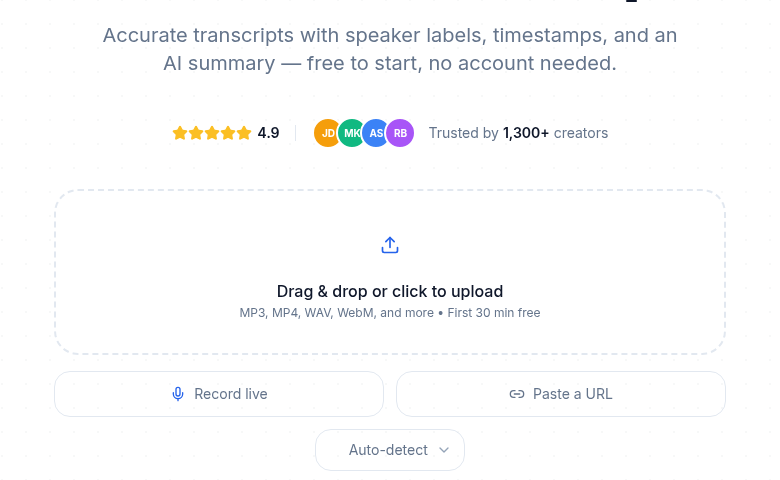
No-signup previews with a follow-on cap. ConvertAudioToText lets you transcribe up to 10 minutes without creating an account. After that preview, a free account adds 10 premium minutes once at signup, then keeps transcribing free on the standard engine: up to 3 files a day, 10 minutes per file, plus a free-finish button that completes up to 2 more hours of a long file. TXT downloads stay free on the free tier. It is the right tool if you need to transcribe one recording right now without any friction, and it remains usable for regular light work.
Self-hosted with no cap at all. OpenAI's Whisper model is open-source and free to run locally. With a GPU it can transcribe at many times real-time speed; on a CPU it is slower but still free per minute. The setup requires a command line, Python, and FFmpeg. If you are comfortable with that, it is genuinely unlimited.
Free Transcription Tools Compared
| Tool | Free Limit | Account Required | Export Formats | Notes |
|---|---|---|---|---|
| OpenAI Whisper (self-hosted) | Unlimited | No | TXT, SRT, VTT, JSON | Requires Python + CLI setup; offline after install |
| TurboScribe | 3 files/day (up to 30 min each) | Yes (free account) | TXT, SRT, DOCX | Most generous browser-based free tier |
| Otter.ai | 300 min/month | Yes | TXT (free tier) | 30-min session cap; 3 lifetime file imports; EN/FR/ES only |
| Notta | 120 min/month | Yes | TXT | 3-min per-recording cap is the binding limit |
| ConvertAudioToText | 10-min no-signup preview; free account: 3 files/day, 10 min/file, free-finish up to 2 more hours | No for preview | TXT (free), SRT, VTT, DOCX, PDF, JSON (paid) | No-signup instant start; TXT export free on free tier |
| Happy Scribe | 10-min trial | Yes | Watermarked | Preview only; not for ongoing use |
| Google Docs Voice Typing | Unlimited | Yes (Google account) | DOCX | Live dictation only; does not accept file uploads; requires internet |
Ordering note: Whisper and TurboScribe sit at the top because they offer the most free capacity, not because they are the best fit for every workflow.
Tips for Better Accuracy on a Free Tier
Accuracy on clean, single-speaker audio reaches 95 to 99% with modern AI models. On noisy recordings with multiple overlapping speakers, accuracy can drop below 80%. Audio quality, not the tool you choose, drives most of that range.
Use a dedicated microphone. Even a basic USB microphone produces dramatically better results than a built-in laptop mic. If you are recording content you plan to transcribe, a proper microphone is worth the investment.
Record in a quiet space. Turn off fans and air conditioning. Soft furnishings absorb echo. The cleaner the source, the less you correct later.
Speak at a natural pace. Modern models are trained on conversational speech. Slowing down unnaturally or over-enunciating does not help and often sounds awkward in the transcript.
One speaker at a time where possible. Multi-speaker audio is where free tiers struggle most. If your recording has multiple voices, look for tools that include speaker diarization. Note that speaker diarization is often gated behind paid tiers; free plans frequently label all audio as a single speaker.
When Free Transcription Covers You
For the most common use cases, free transcription is enough:
Students. Lecture recordings and research interviews are typically under 90 minutes. Splitting them into 30-minute segments before uploading works cleanly on most free tiers. Transcripts are searchable and faster to study from than re-listening.
Podcasters. Show notes, pull quotes, and episode descriptions do not require a full transcript. A free tier handles the relevant excerpts. Full episode transcripts improve SEO by making audio content indexable, though tools like the audio-to-text tool handle longer files on paid tiers once you consistently exceed the free cap.
Freelancers. A short client call summary or a single meeting per week fits comfortably inside most free monthly allocations.
Content creators. Repurposing a single recording into a blog post, social captions, and an email draft requires only a portion of the audio. Free transcription covers this workflow well.
When Free Transcription Is Not Enough
Free tiers have real limits. If you regularly hit them, the honest answer is that paid transcription costs less than the time you spend managing caps.
Long recordings. Files over 30 minutes require either stitching segments together manually or a paid plan. For hour-long audio files, paid processing is substantially less friction.
Batch work. Transcribing multiple files at once requires paid automation. Metered vs. unlimited pricing models differ significantly here, and the right choice depends on your volume.
Multi-speaker recordings. Identifying who said what in a panel discussion, interview, or team meeting benefits from paid diarization. Free tiers often omit speaker labels entirely.
Sensitive audio. Privacy policies differ by provider. If your recordings contain confidential information, check the retention and storage policy of any cloud-based tool before uploading. Audio retention varies: some providers delete after processing, others archive indefinitely, and some make retention user-configurable. Always read the provider's current policy rather than assuming.
My Take
The genuinely no-friction option in 2026 for a one-off transcription is a no-signup browser upload: CATT's 10-minute no-signup preview is the most practical for quick jobs, and its free account keeps working daily rather than stopping after a one-time allowance. For ongoing free work, TurboScribe's 3-files-per-day limit is the most generous structured free tier among browser tools, and it supports 130+ languages. If you are comfortable with a terminal and have a quiet machine, self-hosted Whisper is the only option with no ceiling at all.
The tools that look generous on the surface often have hidden binding constraints: Notta's 3-minute per-recording cap makes it impractical for real meetings regardless of the monthly minute pool. Otter's 3 lifetime file imports exhaust fast if you are uploading existing recordings rather than live-recording with their bot. Know which constraint applies to your workflow before you start.
If your needs outgrow free tiers, the cost-of-transcription breakdown and free vs. paid comparison are good next reads.
Frequently Asked Questions
Is free online transcription accurate?
Modern AI transcription reaches 95 to 99% accuracy on clear, single-speaker audio regardless of whether you are using a free or paid tool. The base speech model is often identical across tiers. Accuracy drops on noisy recordings, overlapping speakers, heavy accents, and technical jargon, sometimes below 80%. Audio quality drives most of the accuracy range, not pricing tier. Paid plans sometimes add custom vocabulary and audio preprocessing that help on hard recordings, but the gap on clean audio is small.
Can I transcribe a full lecture for free?
It depends on the tool's per-recording cap. TurboScribe allows files up to 30 minutes each, with 3 per day. If your lecture is longer, split the recording into 30-minute segments and transcribe each one. Otter.ai allows up to 30 minutes per session. For single-file transcription of a full 60 to 90-minute lecture, a paid tier or self-hosted Whisper is the cleaner path.
Do free transcription tools store my audio?
Storage and retention policies vary by provider, and they change over time. Some services delete audio after processing, others retain it for audit or reprocessing, and some let you control deletion yourself. Always check the current privacy policy of any tool before uploading sensitive recordings. Do not rely on summaries from third parties for a policy decision.
What audio formats work with free transcription?
Most browser-based free tools accept MP3, WAV, M4A, FLAC, OGG, and AAC. Many also accept video formats like MP4 and MOV and extract the audio track automatically. WMA support is less consistent. If you are unsure, convert to MP3 first.
Does free transcription support languages other than English?
Yes, most tools support multiple languages, though the language depth varies by tier. TurboScribe supports 130+ languages on its free tier. ConvertAudioToText supports 99+ languages with auto-detect. Otter.ai's free plan covers English, French, and Spanish. Notta's free plan includes its full 30+ language library but with the 3-minute per-recording cap. Google Docs Voice Typing supports 100+ languages but is live-dictation only, with no file upload.
Sources
- Otter.ai free plan details: https://tldv.io/blog/otter-pricing/ (reviewed July 2026)
- Notta free plan details: https://tldv.io/blog/notta-ai-review/ (reviewed July 2026)
- TurboScribe plan overview: https://thetoolsverse.com/tools/turboscribe (reviewed July 2026)
- Happy Scribe free tier: https://help.happyscribe.com/en/articles/6906232-plans-and-pricing (reviewed July 2026)
- Google Docs Voice Typing limitations: https://support.google.com/docs/answer/4492226 (reviewed July 2026)
- AI transcription accuracy benchmarks: https://www.plainscribe.com/blog/transcription-accuracy-benchmark-2026 (reviewed July 2026)
- ConvertAudioToText free tier and language count: https://convertaudiototext.com/ (reviewed July 2026)
- OpenAI Whisper self-hosted overview: https://www.digitalapplied.com/blog/local-speech-to-text-whisper-self-hosted-transcription-2026 (reviewed July 2026)
Try transcription free
Convert any audio or video to clean, unwatermarked text — speaker labels, timestamps, and AI summaries included. First 10 minutes free, no account.
Related Articles

Transcription for Journalists 2026: Record, Verify, Protect
Journalist transcription workflow 2026: AI hits 95–97% on clean audio, drops to 85–94% on noisy recordings. Verify every quote in 30 sec before publishing. Flat-rate at $9.99/mo vs $1.50–$2/min human for legal-grade accuracy.

How to Choose the Right Transcription Software (2026)
A decision framework for picking transcription software in 2026. Five questions covering volume, languages, privacy, integrations, and budget route you to the right tool.