
Transcription for Content Creators: The 2026 Repurposing Guide
Summarize this article with:
One recording can become a blog post, social clips, show notes, subtitles, and a newsletter in a fraction of the time it takes to create those assets from scratch. Transcription is the pivot point. This guide covers the full repurposing pipeline, the tools that fit different creator workflows, and platform-specific tips for YouTube, TikTok, Twitch, and podcasting.
Transcription turns one recording into a week of content. A 30-minute YouTube video or podcast episode produces a full word-for-word text in minutes. From that text, you build blog posts, social clips, show notes, subtitles, and email copy, without re-watching the original footage. That is the whole strategy: create once, publish many places.
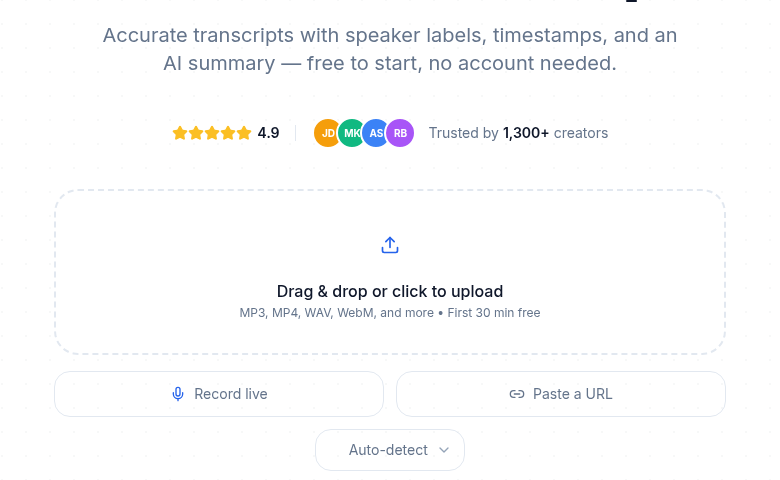
This hub maps the creator use cases and routes you to the tools and tactics that fit your lane, whether you are a YouTuber, podcaster, Twitch streamer, or short-form creator.
The One-Recording, Many-Assets Pipeline
Every recording you make has a maximum yield. Most creators extract a fraction of it because they work directly from the video rather than from a text version of it.
Here is what a single 30-minute video can produce once transcribed:
- Full transcript page on your site, readable by search engines
- Blog post restructured from the main points (800 to 1,500 words is typical)
- Short-form clips with burned-in subtitles for Reels, Shorts, and TikTok
- Social media quotes, 5 to 10 pull-quotes from the best moments
- Email newsletter summarizing the episode's strongest insight
- Show notes with timestamps and resource links
- Twitter/X or LinkedIn thread breaking down the argument step by step
- Instagram carousel with one key point per slide
Creating all eight from scratch takes 8 to 10 hours. Starting from a transcript takes 2 to 3 hours. The transcript does not write the blog post for you, but it eliminates re-watching, note-taking, and recall from memory. That is where most of the time goes.
Creator Use Case Map
Different creator types need different things from transcription. Pick your lane.
| Creator type | Primary need | Best-fit tool category |
|---|---|---|
| YouTuber | Subtitle file (SRT/VTT), blog post, chapter markers | AI transcription with SRT export |
| Podcaster | Show notes, searchable transcript page, newsletter fodder | Transcription with speaker labels |
| Twitch streamer | VOD-to-clips, searchable archive, highlight reel script | Time-stamped VOD transcription |
| TikTok / Reels creator | Accurate burned-in captions, short clip selection | Subtitle generator with burn-in |
| Interview creator | Speaker-separated transcript, blog post, quotable moments | Transcription with diarization |
For deeper guidance on each lane, the platform-specific posts go further: transcription for YouTubers, transcription for TikTok creators, and transcription for Twitch streamers.
Tools: What Fits Which Workflow
These are the tools creators actually reach for, with verified pricing as of July 2026.
| Tool | Best for | Free tier | Paid starting price |
|---|---|---|---|
| Descript | Video editing + transcription in one app | 60 min/month, watermarked export | $16/month (Hobbyist, billed annually) |
| Otter.ai | Meeting and interview transcription | 300 min/month, 30 min/session | $8.33/month (Pro, billed annually) |
| TurboScribe | Bulk file transcription, no frills | 3 files/day up to 30 min each | $10/month (billed annually) per vendor documentation |
| Fireflies.ai | Meeting bot, AI summaries, action items | 20 AI credits (one-time pool), limited storage | $10/seat/month (Pro, billed annually) |
| Riverside.fm | Podcast + video recording with built-in transcription | 2 hours recording/month | $19/month (Standard, billed annually) |
Descript is the only tool in this list that combines a video editor with a transcription engine. You edit the transcript and the video cut updates automatically. That is genuinely useful for podcasters who also publish video, but the monthly media minute caps (60 min free, 600 min on Hobbyist at $16/month) mean heavy users hit limits.
Otter is built around meeting capture and live transcription rather than file uploads. Its free plan's 30-minute-per-session cap makes it awkward for long-form podcast episodes.
TurboScribe's $10/month unlimited plan is the lowest-friction option for creators who just want clean text out of audio files, with no meeting bot or editing layer.
Fireflies is a meeting-first tool. Its AI credits system adds cost for creators who need summaries and action items beyond the free allocation.
Riverside is worth considering if you are recording podcasts or interviews and want transcription built into the same session, rather than uploading files afterward.
My take: for creators whose primary need is a clean transcript from any file type, without a bot or video editor attached, the lightest-weight path is a dedicated transcription tool. If you need to record, edit, and transcribe inside one app, Descript or Riverside fit better despite the higher price.
If you just want to paste a YouTube URL and get a transcript for repurposing, with no signup required, ConvertAudioToText's YouTube transcript tool handles that directly.
YouTube: Subtitles, SEO, and Chapter Markers
YouTube generates auto-captions for most videos, but their accuracy varies. Testing by creators in 2026 shows 85 to 95% accuracy on clear single-speaker English audio, dropping significantly with background noise, accents, or technical terminology. One study found proper names were misread 45% of the time by YouTube's auto-system.
The practical answer is to upload your own SRT file rather than relying on YouTube's auto-captions. This gives you a verified, corrected subtitle track that YouTube indexes, which helps both accessibility and in-platform search.
The SEO benefit of publishing a transcript on your own site is separate. A blog post or transcript page gives Google indexable text for keywords your video covers. A YouTube video ranks within YouTube; a transcript page ranks in Google search. They target different search surfaces for the same content.
Chapter markers are an underused byproduct of transcription. Export your transcript, identify the timestamp where each topic starts, and paste them into the video description in the standard YouTube format (0:00 Intro, 2:30 Topic one). YouTube generates a chapter navigation bar automatically.
See the subtitle generator tool for SRT and VTT export from any audio or video file.
Podcasting: Show Notes, Newsletters, and Search Discovery
Podcast audio is invisible to search engines. Every episode you publish without a transcript is a search dead end.
Publishing a full transcript on your podcast page turns spoken content into indexable text. Research cited by podcast SEO practitioners shows sites implementing episode transcripts seeing a 15% lift in organic traffic. The mechanism is straightforward: Google indexes the words, and those words include long-tail phrases your audience searches.
The workflow is simple:
- Transcribe the episode with speaker labels turned on, so you know which quotes came from which guest.
- Pull timestamps for the main topic shifts and format as show notes.
- Extract 2 to 3 guest quotes for the newsletter and social posts.
- Publish the full transcript on the episode page (even unedited).
- Write a separate, restructured blog post for the episode's main idea.
The blog post and the transcript serve different purposes. The transcript captures long-tail search. The blog post targets a specific keyword and is readable as a standalone article.
Spotify and Apple Podcasts do not index transcript text, but your site does. Every episode transcript page is a potential organic landing page.
For more on podcast-specific tool choices, best transcription for podcasts 2026 compares the options in detail.
Twitch: VOD Archiving and Clip Selection
Twitch streams present a different challenge. Streams are long (2 to 8 hours is common), they expire after a set window unless saved as VODs, and finding the best moments manually means scrubbing through hours of footage.
A timestamped transcript of a stream turns 6 hours of footage into a searchable document. You keyword-search the transcript for moments worth clipping rather than scrubbing the timeline by hand.
The practical workflow:
- Download the VOD after the stream ends (while it is still available).
- Upload to a transcription tool that handles long files (check file size and duration limits).
- Search the transcript for topics, game moments, or viewer questions that made the chat spike.
- Use timestamps to cut clips in your editor.
- Add burned-in subtitles via the subtitle generator before uploading clips to YouTube or TikTok.
Note that Twitch audio often includes background game audio and music, which lowers accuracy. Expect more correction passes than you would with a clean interview recording.
Short-Form: TikTok and Instagram Reels
Subtitles are the single highest-impact addition you can make to short-form video. Videos with captions retain viewers up to 15% longer (per engagement data from 2026 short-form studies), partly because a significant share of mobile viewers watch with sound off.
Both TikTok and Instagram have built-in auto-caption tools. TikTok's built-in auto captions are a reasonable starting point, but they require manual review: the system still misreads words, especially with accents or fast speech. Instagram Reels auto-captions have the same limitation.
For short clips you plan to publish widely across platforms, it is faster to generate an accurate SRT from a dedicated tool, burn the subtitles in, and use that single file across TikTok, Reels, and Shorts rather than relying on each platform's auto-captioner and correcting errors three times.
Bold, centered text in high-contrast color performs better than small corner text in most engagement data. The caption style matters as much as the accuracy.
For platform-specific tactics and tool comparisons, transcription for TikTok creators goes deeper on caption styling and clip selection.
Repurposing Formats by Platform
| Content asset | Platform target | Source from transcript |
|---|---|---|
| Blog post | Google Search | Full restructured transcript |
| Show notes | Podcast website | Timestamp + topic extraction |
| SRT subtitle file | YouTube, TikTok, Reels | Subtitle generator export |
| Twitter/X thread | Twitter/X | Main argument breakdown |
| LinkedIn post | Single strongest insight | |
| Newsletter section | Email list | 200 to 300 word summary |
| Instagram carousel | 5 to 8 slides, one point each |
The SEO Compound Effect
Every asset you create from a transcript adds to your searchable footprint. A creator publishing one video per week and fully repurposing each episode can generate 40 to 50 indexable pages per year from content they have already made.
Over 12 months that accumulates into a meaningful organic traffic asset. The video earns YouTube search traffic. The blog post earns Google search traffic. The show notes page captures long-tail searches. None of this happens if the content stays locked in video format.
The investment is low: transcription for a 30-minute file is fast (typically under 3 minutes for AI tools) and inexpensive. The time cost is in the downstream writing and editing, which the transcript makes faster without eliminating.
FAQ
Which transcription tool is best for content creators?
It depends on the workflow. Descript suits creators who want video editing and transcription in one app. TurboScribe and similar tools work for creators who just need accurate text from audio or video files at low cost. Otter is better for meeting and interview transcription. Riverside is worth considering if you are also using it to record the podcast or interview session.
Should I publish the raw transcript or rewrite it?
Both, for different purposes. Publish the raw transcript on the episode or video page for search indexing: even unpolished, it captures long-tail keywords. Write a separate, restructured blog post as a standalone readable article targeting a specific keyword. They serve different audiences and different search surfaces.
How do I handle filler words in repurposed content?
Remove them from any text you publish. "Um," "uh," "like," and "you know" are natural in speech but distracting in print. Most AI transcription tools capture filler words accurately, which makes it easy to find and delete them in a text editor before publishing.
Can I automate the repurposing pipeline?
Transcription and subtitle generation are fully automatable. Blog posts, social copy, and show notes still require human judgment for quality, but the transcript gives you a complete source document to work from, which is faster than re-watching the video. Some creators use AI writing tools on top of the transcript to accelerate the drafting; the transcript is better source material than a blank prompt.
Do YouTube auto-captions hurt if I also upload my own SRT file?
No. Uploading a corrected SRT file replaces the auto-captions on that language track. YouTube uses the uploaded file for the caption display and for its internal indexing. The auto-generated track is only shown when no uploaded track exists in that language. Always upload a corrected file when accuracy matters.
Sources
- Descript pricing (fetched July 2026): https://www.descript.com/pricing
- Otter.ai pricing (fetched July 2026): https://otter.ai/pricing
- TurboScribe pricing (per vendor documentation, page 403'd during fetch): https://turboscribe.ai/pricing
- Fireflies.ai pricing (search-verified July 2026): https://fireflies.ai/pricing
- Riverside.fm pricing (search-verified July 2026): https://riverside.com/pricing
- YouTube auto-caption accuracy testing: https://www.notelm.ai/blog/youtube-auto-captions-transcript
- Short-form video subtitles engagement data: https://autofaceless.ai/blog/short-form-video-statistics-2026
- Podcast transcript SEO: https://weeditpodcasts.com/podcast-seo/
- TikTok auto-captions guide: https://www.opus.pro/blog/tiktok-caption-subtitle-best-practices
Try transcription free
Convert any audio or video to clean, unwatermarked text — speaker labels, timestamps, and AI summaries included. First 10 minutes free, no account.
Related Articles

Best Transcription for Content Creators 2026
Creator-lens roundup of 8 transcription and repurposing tools for 2026: verified prices, honest limits, and which tool fits which workflow.
Focus Group Transcription for UX Researchers: Turn Multi-Speaker Audio Into Usable Evidence
A practical guide to focus group transcription for UX and insights teams. See how CATT handles speaker labels, timestamps, AI summaries, and clean export.