What Is Audio Transcription? A Plain-English Guide for 2026
Summarize this article with:
Audio transcription turns a recording into written text. Modern AI services process a one-hour file in minutes, reaching 95-98% accuracy on clear audio. Human transcription still leads in legal, medical, and compliance contexts where near-perfect accuracy matters. This guide covers how it works, the major output types, what drives accuracy up or down, and what you can expect to pay.
Audio transcription is the process of converting spoken language from a recording into written text. If you have read the transcript under a podcast episode, the captions on a YouTube video, or the meeting notes from a Zoom call, you have already encountered transcription output. This post explains what transcription actually is, the difference between major styles, what affects accuracy, and how to choose a method without overpaying.
What Counts as Transcription
At its simplest, a transcript is a text representation of speech. A human listener or an AI model processes an audio file, identifies the words spoken, and writes them down in order. The output can be a single block of text, a screenplay-style document with speaker labels, or a time-coded subtitle file.
The work happens in two stages. First, the system recognizes sounds as language, a step called speech recognition or automatic speech recognition (ASR). Second, it formats those recognized words into something readable: punctuation, capitalization, and decisions about filler words, false starts, and pauses.
You can read more about how AI transcription works under the hood for the technical picture. For most use cases, knowing the input and output is sufficient.
The Two Main Styles: Verbatim and Clean
Verbatim transcripts capture every word, including "um," "uh," repeated phrases, false starts, and laughter. They are required for legal depositions, qualitative research, and any context where the way someone said something matters as much as what they said.
Clean (or intelligent) transcripts remove filler words and false starts, fix grammar where it does not change meaning, and produce a readable document. This is what most podcasters, journalists, and students want. The output reads like a polished interview, not a court reporter's raw notes.
A deeper breakdown of verbatim vs. clean transcription covers the edge cases: interviews with non-native speakers, focus groups, and research recordings where filler patterns are data.
What Goes Into a Transcript Beyond Words
Modern transcription tools produce more than raw text. Depending on the service and the recording, you can get:
- Speaker labels that identify who said what (Speaker 1, Speaker 2, or named once you tag them).
- Timestamps at the word, sentence, or paragraph level so you can jump back to the source audio.
- Punctuation and casing added automatically based on intonation and language models.
- Summaries and topic tags generated by a large language model on top of the transcript.
- Sentiment markers that flag whether a passage is positive, neutral, or negative.
Speaker labels change how a transcript reads entirely. A two-person interview without them is nearly unreadable. With them, it reads like a play. The technique behind this is called diarization. How speaker diarization works explains the clustering and segmentation process in more detail.
Where the Audio Comes From
Transcription is format-agnostic in theory but format-sensitive in practice. The cleanest inputs come from dedicated recordings: a podcast captured with a USB microphone, a Zoom call recorded to MP4, a voice memo from a quiet room. The messiest inputs come from phone calls on speakerphone, conference rooms with three people sharing a single mic, and live events recorded from the back of the hall.
Common file types that transcription tools accept include MP3, WAV, M4A, FLAC, OGG, and AAC for audio, and MP4, MOV, WebM, and MKV for video. If you submit a video file, the tool extracts the audio track first.
For an overview of which formats work best and why, see the guide to supported audio formats for transcription.
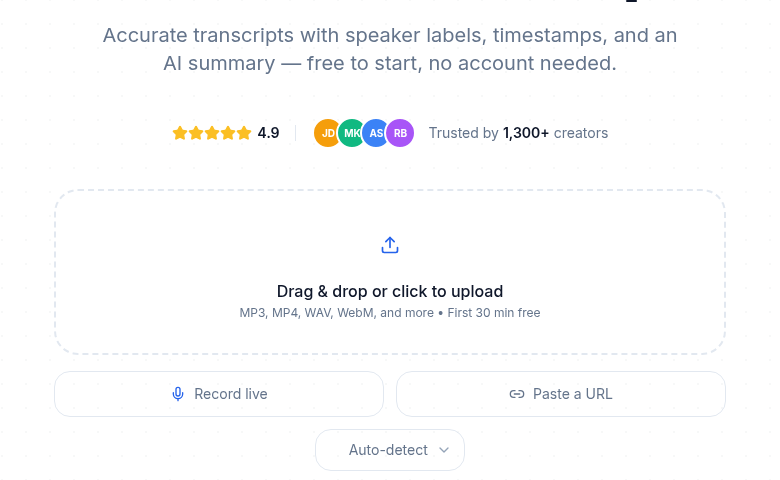 From recording to text: the whole idea in one screen
How Accuracy Is Measured
The standard metric is Word Error Rate (WER): the percentage of words the transcript got wrong. A WER of 5% means 5 words out of every 100 are incorrect, which is 95% accuracy.
The number is a moving target. According to independent benchmarks, leading models in 2026 achieve roughly 2-5% WER on studio-quality recordings and 10-20% WER on challenging audio with noise, heavy accents, or overlapping speakers. Factors that pull accuracy down:
- Background noise: music, traffic, HVAC hum.
- Heavy regional accents (less of a problem with modern models than five years ago, but still real).
- Overlapping speakers.
- Domain-specific vocabulary: medical, legal, niche technical terms.
- Low recording bitrate or heavy compression artifacts.
A full breakdown lives in transcription accuracy explained.
AI Transcription vs. Human Transcription
Both still exist in 2026, and each has a clear place.
| AI Transcription | Human Transcription | |
|---|---|---|
| Speed | Minutes per hour of audio | 4-6 hours per hour of audio |
| Accuracy (clean audio) | 95-98% | 99%+ |
| Accuracy (noisy/complex) | 85-94% | 98-99% |
| Cost (typical consumer) | Flat plans from $10/mo; PAYG from $0.07-$0.25/min | From $1.50-$1.99/audio minute (per Rev, checked July 2026) |
| Best for | Meetings, podcasts, lectures, research, accessibility | Legal depositions, medical dictation, broadcast captions |
My take: for most everyday content, AI transcription is the right default. The accuracy gap that used to justify human transcription for ordinary recordings has largely closed. The remaining gaps are in legal, medical, and compliance contexts where 99%+ accuracy is not a preference but a requirement.
For a full side-by-side of cost and accuracy across the major services, see AI vs. human transcription and transcription pricing comparison.
What You Can Do With a Transcript
Once you have the text, the use cases expand:
- Search. Every word becomes searchable. A two-hour interview becomes a Ctrl+F problem.
- Quoting. Pull exact language for articles, social posts, or research papers.
- Repurposing. Turn a podcast episode into a blog post, an email newsletter, or a video script.
- Accessibility. Provide transcripts and captions for deaf and hard-of-hearing audiences. For video content, captions are required under WCAG 2.1; for audio-only content such as podcasts, a standalone transcript is the accessibility standard.
- Compliance. Generate a written record of recorded calls for industries where that is a legal requirement.
- Translation. Once speech is text, machine translation makes a Spanish or French version straightforward.
Export Formats You Will See
Transcripts ship in a few standard formats:
- TXT: Plain text, no timestamps. Best for reading or pasting into a document.
- SRT: SubRip subtitle format with per-line timestamps. Accepted by YouTube, Vimeo, and virtually every video editor.
- VTT: WebVTT, the HTML5 standard for browser-based captions. Supports basic styling that SRT does not.
- JSON: Machine-readable, with word-level timestamps and confidence scores. For developers building on top of a transcript.
- DOCX / PDF: Formatted documents with speaker labels, usable as meeting minutes or published interview transcripts.
Choosing the right one depends on what you are doing with the output. A YouTube video needs SRT or VTT. A blog post needs TXT or DOCX. A developer integration needs JSON. For the differences between subtitle formats, see SRT vs. VTT vs. TTML explained.
Free vs. Paid
You can transcribe short files for free on most platforms. Free tiers typically cap file length, exclude AI summaries, and limit export formats. Paid plans unlock longer files, batch processing, full export options, and AI features like summarization and topic extraction.
The pricing models vary by how much you use. Flat-rate plans (such as TurboScribe's unlimited plan at $10/month billed annually, per vendor documentation) suit high-volume users. Meeting-focused tools like Otter.ai charge per seat, starting at $8.33/user/month on annual billing with 1,200 minutes per month. Descript bundles transcription into media minutes alongside video editing, starting at $16/user/month annually.
If you just need a clean transcript without a meeting bot or a video editor bundled in, ConvertAudioToText lets you upload a file and get the first 30 minutes free without creating an account. With a free account, your first file runs on the premium engine (up to an hour), then you can transcribe up to 30 files a day, up to 30 minutes each.
For a breakdown of what drives the real cost over time, see hidden costs of transcription services and free vs. paid transcription.
FAQ
What is audio transcription?
Audio transcription is the process of converting spoken words from a recording into written text. The input is an audio or video file; the output is a text document, subtitle file, or structured data file, depending on the format you choose.
How accurate is AI transcription in 2026?
On clean audio with a single speaker and no background noise, leading AI services reach 95-98% accuracy. On noisier recordings with accents, overlapping speakers, or low bitrate, accuracy drops to the 85-94% range. Human transcription consistently hits 99%+ but costs and takes far longer.
What is the difference between verbatim and clean transcription?
Verbatim transcription captures every word exactly as spoken, including filler words, false starts, and laughter. Clean transcription removes those elements and produces a polished, readable document. Legal and research contexts typically require verbatim; most podcasters, journalists, and students prefer clean.
What is speaker diarization?
Speaker diarization is the process of identifying who spoke when in a recording. It segments the audio by voice and labels each passage with a speaker tag (Speaker 1, Speaker 2, or a custom name). Without diarization, a multi-person transcript is a single block of unlabeled text.
What file formats can I transcribe?
Most transcription services accept MP3, WAV, M4A, FLAC, OGG, and AAC for audio, and MP4, MOV, WebM, and MKV for video. Video files are processed by extracting the audio track first. The quality of that audio track, not the container format, is the biggest driver of accuracy.
When should I use human transcription instead of AI?
Use human transcription when accuracy is legally or clinically required: court filings, medical records, broadcast captions, or published research where every word must be correct. For meetings, podcasts, interviews, lectures, and content repurposing, AI transcription is accurate enough and dramatically faster and cheaper.
Sources
- Rev pricing (human transcription): https://www.rev.com/pricing (checked July 2026)
- Otter.ai pricing plans: https://otter.ai/pricing (checked July 2026)
- Descript pricing and media minutes: https://www.descript.com/pricing (checked July 2026)
- WER benchmarks and accuracy data: https://www.assemblyai.com/blog/how-accurate-speech-to-text (AssemblyAI, checked July 2026)
- AI transcription processing speed: https://verbit.ai/resources/automated-transcription-guide-2026/ (Verbit, checked July 2026)
- Speaker diarization definition: https://www.assemblyai.com/blog/what-is-speaker-diarization-and-how-does-it-work (AssemblyAI, checked July 2026)
- WCAG 2.1 captions requirement: https://www.section508.gov/create/captions-transcripts/ (Section508.gov, checked July 2026)
Try transcription free
Convert any audio or video to clean, unwatermarked text — speaker labels, timestamps, and AI summaries included. First 30 minutes free, no account.
Related Articles
How to Convert AAC to Text: Streams vs M4A Explained
AAC to text: the raw-stream vs M4A container distinction that trips tools, broadcast origins, and the reliable workflow.
How to Convert FLAC to Text: Lossless Audio Guide 2026
FLAC to text for field recordings and archival interviews: why lossless helps, half-of-WAV file sizes, and the upload workflow.