
AI Meeting Summary Templates: 5 Ready-to-Use Formats for 2026
Summarize this article with:
The right meeting summary template matters more than which AI model you use. This post gives you five copy-paste prompts, one per meeting type, that produce structured, actionable output for standups, 1:1s, client calls, board meetings, and retrospectives. Each template targets the output format the reader actually needs, not a generic summary. A sixth custom-template section covers any meeting type that does not fit the five.
The right summary template for your meeting type will do more for output quality than switching AI models. Once you are using any current frontier model, the bottleneck is the prompt, not the engine. A generic "summarize this meeting" produces generic output: roughly equal coverage of everything said, which means a one-hour client call with three decisions and fifteen minutes of catch-up gets a summary that treats both with equal weight. That is not useful.
Useful templates do three things: they tell the model which content matters for this meeting type, they structure the output for how the reader will actually use it, and they include sections specific to the genre (action items for project meetings, blockers for standups, commitments for client calls).
What follows is five templates you can copy directly, one for each common workplace meeting type, plus guidance on writing your own.
Why Generic Prompts Fail
A meeting bot like Otter or Fireflies will auto-generate a summary when the call ends, and that is genuinely useful for capturing raw output. Fireflies, for example, offers 18+ named templates including "Team Meeting," "Sales Calls," and "Interview Summary," each with preset sections. Otter auto-identifies decisions and action items across the call.
The limitation is that built-in templates optimize for the median use case for that category. Your board meeting is not the median board meeting. Your 1:1 format is probably different from the default. A prompt you control lets you specify exactly which sections matter, what to leave out, and how the output should be organized for your downstream workflow.
The templates below assume you already have a transcript. If you need to get a clean transcript first, ConvertAudioToText's meeting transcription tool handles audio and video files without a meeting bot.
Template 1: Daily Standup
Standups are short and structured. The output should match: three sections, no prose, ready to paste into Slack or a project tool in under thirty seconds.
You are summarizing a daily standup. The transcript follows.

Extract exactly three sections:

DONE (Yesterday)
- Bullet each completed item. One line per item. Include the speaker's name in brackets.

IN PROGRESS (Today)
- Bullet each active item with the owner in brackets.

BLOCKERS
- List every blocker mentioned. If none, write "None." Include who raised it.

Rules:
- No introductory text. Start with "DONE (Yesterday)" directly.
- Keep each bullet under 15 words.
- Do not summarize or interpret. Report what was said.
- If the standup covered multiple teams, group each section by team.

Transcript:
[PASTE TRANSCRIPT HERE]
My take: this format beats prose summaries for standups because it is scannable at a glance. A reader who missed the standup gets everything they need in under ten seconds.
Template 2: One-on-One (Manager and Direct Report)
1:1 meetings contain two very different kinds of content: status and development. A good 1:1 summary separates them rather than mixing both into bullet points.
You are summarizing a 1:1 meeting between a manager and a direct report. The transcript follows.

Produce four sections:

PROGRESS UPDATES
- What the direct report shared about ongoing work. Bullet points. Owner not needed (it's one person).

FEEDBACK GIVEN
- Any feedback the manager gave, positive or developmental. Quote directly where possible.

CAREER AND DEVELOPMENT
- Topics about the direct report's growth, goals, learning, or role. Leave empty if not discussed.

NEXT STEPS
- Specific commitments made by either person, with the name of who committed in brackets. Include any agreed dates.

Rules:
- Label speakers as Manager and Direct Report throughout.
- Keep summaries factual. Do not interpret tone or intent.
- If a topic does not fit these sections cleanly, add it under a brief "Other" header at the end.

Transcript:
[PASTE TRANSCRIPT HERE]
For more on how to turn 1:1 notes into structured records, see the guide on creating meeting minutes from audio.
Template 3: Client Call
Client calls have higher stakes than internal meetings because the output gets shared with or acted on by someone outside your organization. The template below is designed to produce a client-facing summary and an internal debrief in one pass.
You are summarizing a client call. The transcript follows. Produce two separate outputs.

--- CLIENT-FACING SUMMARY ---
(This section will be shared with the client.)

Call Overview
One or two sentences: who attended, date, purpose.

Key Discussion Points
Bullet the main topics covered. Keep to what was agreed or resolved, not background.

Decisions Made
Numbered list. State each decision clearly.

Next Steps
Table format: | Action | Owner | Due Date |
If a due date was not mentioned, write "TBD."

--- INTERNAL DEBRIEF ---
(This section is for internal use only.)

Client Sentiment
One sentence on the client's overall tone and any concerns they expressed.

Risks and Open Issues
Anything unresolved, unclear, or potentially problematic.

Opportunities
Any expansion, upsell, or partnership signals mentioned.

Rules:
- Use formal language in the client-facing section.
- Be direct and candid in the internal debrief.
- Do not mix the two sections.

Transcript:
[PASTE TRANSCRIPT HERE]
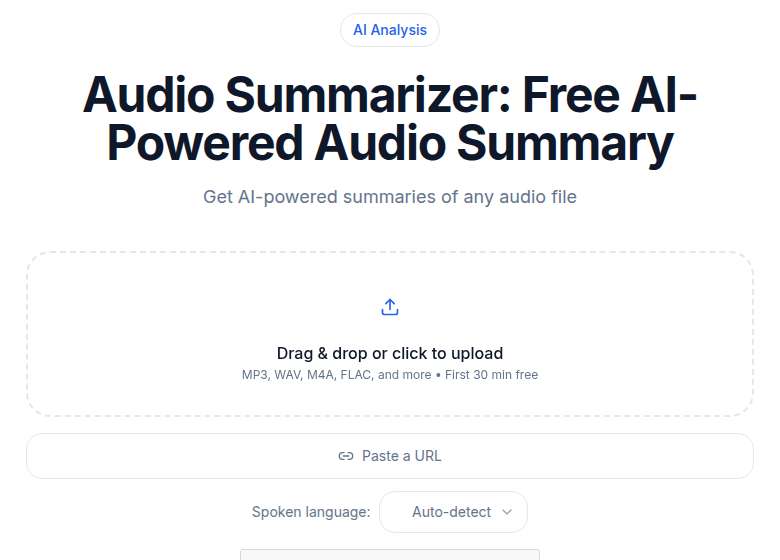 ConvertAudioToText audio summarizer tool interface
The dual-output structure saves a step: you get a clean external document and your internal notes from a single prompt run.
Template 4: Board or Executive Meeting
Board meetings are long and information-dense, but the output needs to be short. Executives reading the summary have limited time and need to know what was decided, what was tabled, and what requires their attention before the next meeting.
You are summarizing a board or executive meeting. The transcript follows.

Produce five sections:

DECISIONS RATIFIED
- Each approved motion or decision, with a clear statement of what was agreed. One line per decision.

PRESENTATIONS AND BRIEFINGS
- Brief reference to each topic presented: who presented, what the topic was, key finding in one sentence. No detail.

ITEMS TABLED
- Topics raised but deferred to a future meeting, and why if stated.

RISKS AND CONCERNS RAISED
- Any material risk, concern, or dissent mentioned by any attendee.

ACTION ITEMS
- Table format: | Action | Owner | Deadline |

Rules:
- Do not reproduce discussion, only outcomes.
- If a vote was taken, note the outcome (e.g., "Approved 5-1").
- Keep the entire summary under 400 words. Trim prose aggressively.

Transcript:
[PASTE TRANSCRIPT HERE]
This template deliberately excludes discussion detail. Board meeting summaries that include debate threads become long and hard to act on. For full discussion capture, use the transcript itself. See also the guide on transcription for board meetings for how to handle confidential recordings.
Template 5: Retrospective
Retros work best when they produce a clear picture of what to carry forward and what to stop. A generic summary blurs the signal by mixing praise and complaints into prose.
You are summarizing a team retrospective. The transcript follows.

Produce four sections:

WHAT WENT WELL
- Bullet each positive item mentioned. Include who raised it if the name is clear.

WHAT DID NOT GO WELL
- Bullet each problem or frustration mentioned. Be specific; do not soften.

ACTION ITEMS FOR NEXT SPRINT
- Table: | Action | Owner | Target Date |
- Only include items the team explicitly agreed to act on.

ITEMS TO WATCH
- Issues acknowledged but not yet actioned. These need attention but no owner was assigned.

Rules:
- Do not editorialize. Report what was said.
- If a speaker mentioned something but the team disagreed, note the disagreement.
- If the retrospective covered multiple projects or teams, organize each section by project.

Transcript:
[PASTE TRANSCRIPT HERE]
For teams that run retros regularly, saving the action items table and comparing it to next sprint's "What Did Not Go Well" is a fast way to check whether agreed improvements actually landed. The guide on meeting notes automation covers how to wire this into a standing workflow.
Writing a Custom Template
None of the five templates above covers every meeting type. Coaching calls, hiring committee discussions, legal depositions, and client discovery calls each have their own output requirements. The structure for writing a custom template is the same in every case:
- Name the meeting type at the top ("You are summarizing a...").
- List the output sections explicitly, with a brief description of what belongs in each.
- Add rules that prevent common errors: no introductory text, no interpretation, max length, table format where useful.
- End with "Transcript: [PASTE TRANSCRIPT HERE]".
The most common mistake in custom templates is leaving sections vague. "Key points" produces vague output. "Decisions made, stated as complete sentences with a clear subject and verb" produces specific output.
Prompt Guidance: Getting Better Output
A few additional prompt techniques consistently improve summary quality:
Specify the reader. "This summary will be read by the account executive, not the client" gives the model context for what level of detail and candor is appropriate.
Set a word limit for each section. "Keep Action Items under 100 words" prevents the model from padding.
Ask for quotes. For calls where exact wording matters (client commitments, legal discussions), add "Quote directly for any commitment or decision; do not paraphrase."
Use multi-turn prompting for long transcripts. For calls over 90 minutes, split the transcript into thirds and run the template on each part, then run a final "merge these three summaries" pass. This reduces hallucination on long contexts.
The extract action items from meetings guide covers one specific pattern in more depth: isolating only the action items from a full call, which is useful when you need a task list without a full summary.
What Templates Cannot Do
Templates do not fix a bad transcript. A transcript with overlapping speakers, heavy background noise, or no speaker labels will produce a confused summary regardless of how good the template is. Speaker diarization is the technical term for separating speakers in a transcript; tools that support it produce cleaner input for these templates.
Templates also do not create information that was not said. If attendees talked around a decision without making one explicitly, no template will manufacture clarity. The template will accurately report the ambiguity, which is itself useful.
FAQ
Can I use these templates with any AI tool?
Yes. They are plain text prompts that work with any AI that accepts a transcript as input, including Claude, ChatGPT, Gemini, and purpose-built tools like Otter or Fireflies. Paste the transcript, then paste the template prompt.
What is the difference between a summary template and a meeting bot?
A meeting bot (Otter, Fireflies, Fathom) joins your call and auto-generates a summary using its own built-in template. A summary template is a prompt you control, which you feed a transcript to get structured output in exactly the format you specify. Bots are convenient; templates are precise.
Do these templates work for non-English meetings?
The template structure works for any language. However, if your AI tool has English-only constraints on AI features (some do), you may get a plain transcript back rather than a structured summary for non-English audio. Verify your tool's language support before relying on the formatted output.
How long should the transcript be before using a summary template?
Templates work on transcripts of any length, but they produce the most value on meetings over 20 minutes where a human would otherwise spend significant time writing notes. For meetings under 10 minutes, a bullet-point action list is often faster than a structured summary.
If you need a clean transcript to feed into these templates, ConvertAudioToText handles audio and video without a meeting bot joining the call.
Sources
Try transcription free
Convert any audio or video to clean, unwatermarked text — speaker labels, timestamps, and AI summaries included. First 30 minutes free, no account.
Related Articles
How to Transcribe WhatsApp Voice Messages to Text
Learn how to transcribe WhatsApp voice messages to text quickly. Follow this guide to extract audio, process it with AI, and get accurate transcripts with speaker labels.

How to Transcribe a Microsoft Teams Meeting (2026 Guide)
Transcribe Microsoft Teams meetings: license requirements, where files live, and the external-tool path when Teams transcription is locked.