Mobile Recording Apps Comparison: iOS & Android 2026
Summarize this article with:
The recording app you already have is almost certainly good enough. On iPhone, Apple Voice Memos at the Lossless setting beats every paid app for spoken word; on Android, Google Recorder wins on a Pixel and Samsung Voice Recorder wins on a Galaxy. The only settings that move transcription accuracy are codec and bitrate (stay at 64 kbps or above), so switch your recorder off its lowest quality mode and stop shopping.
I record interviews on a phone every week and then transcribe the files, so this is the working setup I actually trust, not a lab benchmark. My one-sentence take: the recording app barely moves transcription accuracy as long as you avoid the lowest quality settings, so pick the one that is already on your phone and stop shopping.
What Actually Matters in a Recording App
Most of the comparison content out there obsesses over interface polish. Four things move the needle for anyone who records to transcribe later:
- Codec and bitrate. Modern apps default to AAC (inside an M4A container) at 64 kbps or higher, which transcribes cleanly. The danger zone is old or "small file" modes. Research on audio compression and speech recognition shows accuracy is fine at normal bitrates and only falls apart once you compress hard, and a 2020 study on Opus-compressed audio measured word error rate degrading sharply once the bitrate dropped to 16 kbps and below. You will not hit that with any default setting in 2026, but you can if you go hunting for a "save space" toggle.
- Raw file export. Can you get the actual audio file off the phone (M4A or WAV), or does the app only hand you a transcript it made? Transcript-first apps lock you into their accuracy. File-first apps let you re-transcribe anywhere.
- Background reliability. Does recording survive a screen lock, an app switch, or an incoming call? Dedicated recorders handle this. DAWs and some transcription apps do not.
- Storage and battery math. A compressed M4A is about 30 MB per hour. Apple Lossless (ALAC) is roughly 5 to 6x that, and true uncompressed WAV is around 20x. For an all-day recording, that gap decides whether you run out of space.
The honest summary up front: any mainstream recorder clears the bar. The choice is about export flexibility and reliability, not magic audio quality.
iPhone Apps
Apple Voice Memos (built in, free)
The most-used voice recorder in the world, and on iPhone it is the one I reach for first.
- Format: M4A. The default Compressed mode is AAC at 64 kbps, 48 kHz. The Lossless mode (Settings, Voice Memos, Audio Quality, Lossless) switches to Apple Lossless (ALAC) at 24-bit, still inside the .m4a file.
- Export: Share sheet to AirDrop, Files, email, or any transcription app. No WAV without a separate conversion.
- Background: Reliable. Keeps recording with the screen locked or another app open.
- Storage: Compressed is about 0.5 MB per minute, lossless about 2.8 MB per minute, so roughly 5 to 6x bigger. A 30-minute interview is about 15 MB compressed versus around 84 MB lossless.
Set it to Lossless once and forget it. The file is bigger but the audio is bit-perfect, and that is the single highest-leverage change you can make on an iPhone. Send the result to Voice Memo to Text and you keep all the quality through to the transcript.
Best for: almost everyone on iPhone. Lectures, voice notes, interviews, meetings.
Just Press Record ($6.99, one time)
A paid favorite among writers and students who want more control than Voice Memos.
- Format: M4A, WAV, or AIF. With an external mic over the Lightning or USB-C port it records up to 96 kHz / 24-bit.
- Export: iCloud and Dropbox sync, plus the standard share sheet. WAV export is the real reason to buy it over Voice Memos.
- Background: Reliable.
- Built-in transcription: Included, but it is on-device dictation quality, not a dedicated cloud model.
The case for paying is WAV export and sync, not accuracy. If you never need WAV, Voice Memos at Lossless already gets you there for free.
Best for: power users who want WAV out of the box and a tidy Dropbox sync.
GarageBand (free, iOS)
Apple's recording studio, which doubles as a surprisingly capable voice recorder.
- Format: Exports M4A, AIFF, WAV, or Apple Lossless. On iOS the uncompressed ceiling is 44.1 kHz / 24-bit, not the 96 kHz you get on a Mac.
- Background: Not designed for it. This is a multitrack app, so it is the wrong tool for an unattended long recording.
- Export: Many options, a few more taps than a dedicated recorder.
Overkill for voice notes, but genuinely useful if you want to clean up the take afterward. For a plain interview, Voice Memos is faster and more reliable.
Best for: musicians and producers who already have it open.
Android Apps
Google Recorder (free, Pixel)
The best recording experience on Android, with one big asterisk.
- Format: M4A (AAC). On-device live transcription as you record.
- The asterisk: the app and its live transcription are officially Pixel-only. You can sideload the APK onto some non-Pixel phones, but it is unofficial and breaks in real ways. On ASUS, OPPO, and OnePlus the transcript often fails to save; on Xiaomi the app crashes on launch.
- Export: Share to Drive, Keep, or any app. The audio is compressed M4A.
- Background: Reliable on Pixel.
If you do not own a Pixel, do not chase this app. Use Google's Live Transcribe for accessibility-style live text, or just record in your phone maker's app and transcribe the file later.
Best for: Pixel owners who want record-and-search with offline transcription.
Samsung Voice Recorder (free, Galaxy)
The default on every Galaxy phone, and a solid recorder.
- Format: M4A using AAC, with 3GP as an option. Recent Galaxy phones added 24-bit recording and an Advanced Audio mode that syncs a Bluetooth mic.
- Modes: Standard uses both mics for one balanced file. Interview mode is a dual-microphone feature for two people, not a quality downgrade. It captures the top and bottom mics separately to keep the interviewer and interviewee clean, and it is a good choice for a two-person sit-down. One catch: Galaxy AI transcription does not run on Interview mode recordings, so if you want Samsung's built-in transcript, record in Standard.
- Export: Standard share sheet to messaging, email, or cloud.
- Background: Reliable.
Interview mode is genuinely good for two-person interviews, and it is M4A AAC the whole way, not a low-quality codec. That corrects a myth you will still see repeated in older comparisons.
Best for: Galaxy owners. Two-person interviews specifically benefit from Interview mode.
Cross-Platform and Transcription-First Apps
These run on both iOS and Android, but most of them are really transcription products with a record button bolted on. The recording is in service of their own paid transcription, and audio export is often gated.
Otter
- Recording: M4A, optimized for Otter's pipeline.
- Pricing (2026): Free Basic gives 300 minutes per month, 30 minutes per conversation, and only 3 lifetime imports. Pro is $16.99 per month ($8.33 billed annually) for 1,200 minutes. Business is $30 per user per month ($19.99 annually).
- Export: TXT, SRT, or PDF transcripts. Raw audio export is limited.
The free tier's 3 lifetime imports are the gotcha. It is built so you record inside Otter, not so you bring files in. See our deeper Otter alternative breakdown for accuracy notes.
Notta
- Recording: M4A (AAC), cloud-first.
- Pricing (2026): Free gives 120 minutes per month with a short per-recording cap. Pro is $13.99 per month ($8.17 annually) for 1,800 minutes and up to 5 hours per recording. Business is $27.99 per seat ($16.67 annually) for unlimited minutes.
- Export: Transcript-focused. Background recording is reliable on iOS, less so on Android.
Rev (Record and Transcribe)
- Recording: Free, unlimited, on both platforms. You only pay for transcription.
- Pricing (2026): AI transcription is $0.25 per minute, human transcription is $1.50 per minute, or a Rev Max subscription at $29.99 per month.
- Export: Audio export is available, which is rare in this category. Folders, an audio editor, and Slack or email sharing are built in.
Rev is the most file-friendly of the transcription-first apps because the recorder is genuinely free and you can pull the audio out. Compare the per-minute math in our Rev alternative breakdown.
Dolby On (free, iOS and Android)
The specialist. Dolby On is still actively maintained on both app stores and applies noise reduction and leveling on save.
- Format: Lossless export available, so you keep the processed audio at high quality.
- Background: Reliable.
- Why it matters: the noise reduction is the real draw. For a recording made in a cafe, a windy street, or a noisy conference hall, processed audio transcribes more cleanly than a raw phone recording of the same room.
Best for: field recording and interviews in noisy spaces, on either platform.
The Comparison Table
This is what each app actually does. I left out invented accuracy percentages on purpose, because no honest single-room test reproduces them and they mislead more than they help. The columns below are verifiable from each app's own documentation.
| App | Platform | Cost | Default format | WAV export | Background recording | Best for |
|---|---|---|---|---|---|---|
| Apple Voice Memos | iOS | Free | M4A, AAC 64 kbps (or ALAC lossless) | No (lossless only) | Reliable | Almost everyone on iPhone |
| Just Press Record | iOS | $6.99 once | M4A (WAV/AIF optional) | Yes | Reliable | WAV export + sync |
| GarageBand | iOS | Free | M4A/AIFF/WAV/ALAC | Yes (up to 44.1/24) | No | Editing the take after |
| Google Recorder | Pixel | Free | M4A, AAC | No | Reliable (Pixel) | Pixel record-and-search |
| Samsung Voice Recorder | Galaxy | Free | M4A, AAC | No | Reliable | Galaxy, two-person interviews |
| Otter | iOS/Android | Free / $16.99 mo | M4A | No | Reliable | In-app meeting capture |
| Notta | iOS/Android | Free / $13.99 mo | M4A | No | iOS yes, Android spotty | Recording-to-transcript |
| Rev | iOS/Android | Free record, pay to transcribe | M4A | Yes | Reliable | Free recorder + audio export |
| Dolby On | iOS/Android | Free | Lossless on save | Yes (lossless) | Reliable | Noisy environments |
Format Notes That Actually Affect Transcription
A few durable rules, sourced rather than guessed:
- AAC inside M4A at 64 kbps or higher transcribes fine. Every default in 2026 sits here or above.
- The cliff is far below the defaults. Word error rate stays stable at normal bitrates and drops sharply once you compress to around 16 kbps or below. You only reach that by deliberately picking a "smallest file" mode.
- Lossless and WAV are best quality and largest files. Apple Lossless runs about 5 to 6x a compressed M4A; true uncompressed WAV is around 20x. Worth it for archival or noisy source audio, unnecessary for a clear room.
- Old phone-call codecs like AMR or 3GP are built for tiny files, not transcription. If your app offers them, do not use them for anything you plan to transcribe.
Whatever format you end up with, Audio to Text handles M4A, MP3, WAV, and the rest, and you can also paste a link with URL to Text if the audio lives in the cloud already.
Storage and Battery Reality for Long Recordings
The numbers that catch people out on all-day recordings:
- Compressed M4A: about 30 MB per hour. A full 8-hour conference day is roughly 240 MB. Easy.
- Apple Lossless: about 170 MB per hour, so 5 to 6x compressed. Eight hours is around 1.4 GB.
- Uncompressed WAV: around 600 MB per hour. Eight hours pushes past 4 GB, enough to fill a tight phone.
- Battery: continuous recording is a light load on modern phones, but apps that upload to the cloud while recording drain faster. For a long, important session, record locally and upload afterward.
For anything multi-hour, check free storage before you start and record in compressed unless you have a real reason to keep lossless. Running out of space mid-session is the most common way to lose a recording.
The Workflow I Actually Use
For most recordings:
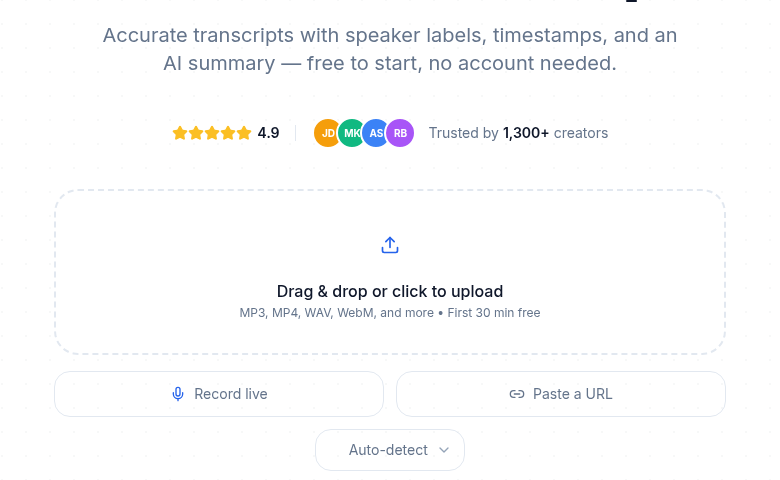 After recording on your phone: drop the file into ConvertAudioToText and the first 30 minutes transcribe free, no account
- Apple Voice Memos (iPhone) or your phone maker's recorder (Android), set to the highest quality it offers.
- Turn on airplane mode for anything you cannot afford to have interrupted by a call.
- AirDrop or sync the file to your computer when you are done.
- Drop it into Audio to Text for the transcript, then export to the format you need.
For two-person interviews on a Galaxy, use Samsung's Interview mode. For noisy rooms on either platform, run Dolby On first. If you would rather record straight in the browser without installing anything, our Online Voice Recorder records and transcribes in one place.
The recording app is a small piece of the chain. Pick one that stays out of your way, keep it off its lowest quality setting, and put your attention on the transcript, which is where the actual work lives.
Frequently Asked Questions
What is the best mobile recording app for transcription?
On iPhone, Apple Voice Memos set to Lossless is the best free option, and Just Press Record is the best paid one if you need WAV export. On Android, Google Recorder is best on a Pixel and Samsung Voice Recorder is best on a Galaxy. All of them produce clean M4A that transcribes well in Audio to Text. The recording app matters far less than the setting you record at.
Does the recording app change transcription accuracy?
Only at the extremes. Any modern app recording AAC at 64 kbps or higher transcribes about the same. Accuracy only falls off when the bitrate drops to around 16 kbps or below, which you reach only by choosing a deliberate "small file" or old phone-call codec. Background noise and microphone distance affect accuracy far more than the app choice.
Should I record in M4A or WAV for transcription?
M4A at a normal bitrate is fine for almost everything, and the files are far smaller, about a fifth the size of Apple Lossless and a twentieth the size of uncompressed WAV. Use WAV or lossless only for archival audio or noisy source material where you want to preserve every bit before cleaning it up. A good transcriber handles both, so this is a storage decision, not an accuracy one.
Is Samsung's Interview mode lower quality?
No. That is a myth from older comparisons. Interview mode is a dual-microphone feature for recording two people clearly, and it still records M4A using AAC, the same codec as Standard mode. The only real tradeoff is that Galaxy AI's built-in transcription does not run on Interview mode files, so record in Standard if you want Samsung's own transcript.
Can I use Google Recorder on a non-Pixel phone?
Not officially. Google Recorder and its offline transcription are Pixel-only. Sideloaded APKs work poorly on many phones, with broken transcript saving on ASUS, OPPO, and OnePlus, and crashes on Xiaomi. On non-Pixel Android, use your phone maker's recorder for the audio and a cloud transcriber afterward, or Google's Live Transcribe for live captions.
Is Apple Voice Memos good enough, or should I pay for an app?
For spoken word, Voice Memos at the Lossless setting is good enough for almost everyone, and it is free. Pay for Just Press Record only if you specifically need WAV files or automatic Dropbox sync. Pay for a transcription-first app like Otter or Notta only if you want recording and transcription bundled and accept their monthly cost and import limits.
How do I get a transcript from my phone recording?
Record in your app of choice, share or sync the file to your computer or upload it directly, then run it through Audio to Text, which accepts M4A, MP3, WAV, and more. If the audio already lives at a public link, you can skip the download and use URL to Text instead.
How much storage does an hour of recording use?
A compressed M4A is about 30 MB per hour. Apple Lossless is about 170 MB per hour, and uncompressed WAV is around 600 MB per hour. For long sessions, record in compressed unless you have a specific reason to keep lossless, and check your free space before you start.
Related Reading
- Best Recorder for Journalists for when a phone is not enough and you need dedicated hardware.
- Best No-Signup Transcription Tools once you have the file and want a transcript without an account.
- Best Speech-to-Text Apps for Students for lecture-recording workflows.
- How to Transcribe an Interview Recording for the full file-to-transcript walkthrough.
- Recording Interviews Legally by State before you hit record on a two-party call.
Try transcription free
Convert any audio or video to clean, unwatermarked text — speaker labels, timestamps, and AI summaries included. First 30 minutes free, no account.
Related Articles
How to Record and Transcribe Audio on iPhone in 2026
Step-by-step guide to recording with iPhone Voice Memos, getting clean transcripts, iOS 26 built-in features, call recording, and the best apps for professional results.
Weekly Review From Voice Memos: A Workflow That Sticks
Turn Friday voice memos into a searchable written review in under 20 minutes. The five recording prompts, transcription steps, and review template that builds a real habit.