Free Audio to Text Converter: No API Key, No Code Needed (2026)
Summarize this article with:
No API, No Code, Free
You can convert audio to text without writing a single line of code, generating an API key, or even creating an account. The tools that make this possible split into two families: cloud services that handle processing on their servers, and local tools that run the AI entirely on your own machine. This post maps the real landscape, with verified limits checked against vendor pages in July 2026.
If you landed here from a search for API-based transcription, the short answer is: for personal use, a meeting, a podcast, or a one-off interview, you almost certainly do not need an API. The adjacent post on free audio-to-text tools online covers the broader category; this one focuses specifically on no-API, no-code options and includes local tools that work offline.
Why People End Up Searching "No API"
The transcription space defaults to developer tooling. Deepgram, AssemblyAI, and OpenAI all publish excellent APIs priced between roughly $0.003 and $0.009 per minute, but using them means reading authentication docs, handling HTTP requests, and managing credentials. See the speech-to-text API pricing comparison for 2026 if you are evaluating that route.
Most people do not want that. They have a 45-minute interview recording and need the words in a document by tomorrow. For that use case, a browser tool does the same job, faster, for free.
The Real Options in 2026
The table below covers the main no-code paths. All prices and limits were verified from vendor pages in July 2026.
| Tool | Type | Free limit | Signup required | Works offline |
|---|---|---|---|---|
| Whisper Web (whisperweb.dev) | Browser-local | 20 min / 200 MB per file, unlimited files | No | Yes (after model download) |
| whisper.cpp | Local app (CLI) | Unlimited | No | Yes |
| MacWhisper (Mac only) | Local desktop app | Unlimited, small models | No | Yes |
| oTranscribe | Browser (manual assist) | Unlimited | No | Yes |
| TurboScribe | Cloud | 3 files/day, up to 30 min each | No | No |
| ConvertAudioToText | Cloud | 10 min per file (no account) / 3 files/day, 10 min per file, free-finish up to 2 more hours (free account) | No for first use | No |
| Otter.ai | Cloud (meeting bot) | 300 min/month, 30 min/session, 3 lifetime file imports | Yes | No |
| Descript | Cloud (editor) | 1 hour/month | Yes | No |
| Happy Scribe | Cloud | 10 min AI trial | Yes | No |
A few things worth unpacking.
Browser-Local: The Genuinely Unlimited Option
Whisper Web runs OpenAI's Whisper model inside your browser using WebAssembly, so your audio never leaves your device. No server, no account, no limit on how many files you transcribe. The free tier caps individual files at 20 minutes and 200 MB; the paid tier ($10/month billed annually) unlocks cloud processing for longer files.
The tradeoff: it downloads a model to your browser the first time, which can take a minute on a slow connection. After that, it works completely offline. Accuracy on clean audio is competitive with cloud services. For sensitive recordings, a conference call about a pending deal or a medical interview, this is the safest choice because nothing is transmitted.
whisper.cpp takes this further: it is an open-source C++ port of the same Whisper model, installable on any operating system including Linux servers, with no usage limits at all. It requires cloning a repository and running a build command, which puts it in the "minimal code" category rather than truly no-code. It is worth knowing about if you have dozens of recordings to process without a subscription fee. See on-device vs cloud transcription for a fuller breakdown.
MacWhisper gives Mac users a graphical drag-and-drop interface over Whisper without touching a terminal. The free tier uses smaller, faster models (Tiny and Base); they are accurate enough for clear recordings. The one-time Pro license (~€59 as of mid-2026) unlocks the larger models, speaker diarization, and batch folder processing.
oTranscribe is different from all of the above: it is a manual transcription tool, not an AI one. You upload audio and it plays back in the same window while you type. Keyboard shortcuts let you pause, rewind, and slow down without lifting your hands from the keyboard. No AI, no accuracy concerns, no limits. It is the right tool when you need word-for-word precision and are willing to do the work yourself.
Cloud Tools: Faster, But With Caps
Cloud tools send your audio to a server. The advantage is speed and accuracy on difficult audio (background noise, multiple speakers, non-English languages). The disadvantage is upload bandwidth requirements and free-tier limits.
TurboScribe stands out in this category for a no-signup experience: 3 transcriptions per day, each up to 30 minutes, without creating an account. That covers most occasional-use cases and makes it a genuine Otter alternative for people who want AI quality without a monthly commitment. See TurboScribe vs Otter for a side-by-side.
Otter.ai is optimized for meetings: it joins Zoom, Google Meet, and Teams calls as a bot, captures the conversation live, and produces a searchable transcript. The free plan gives 300 minutes per month, but caps each recording at 30 minutes and allows only 3 lifetime audio/video file imports. The file-import limit in particular means it works better as a meeting recorder than a general-purpose audio converter.
Descript and Happy Scribe are both editor-first products where transcription is the input step. Descript's free tier gives 1 hour of media processing per month; Happy Scribe's free trial gives 10 minutes. Both add watermarks to certain exports on the free tier. They are worth considering if you need to edit the audio alongside the transcript, but for pure text output, simpler tools are faster.
How to Pick
If privacy matters most: Use Whisper Web or MacWhisper. Your audio never touches a server.
If you need offline capability: Same answer. Browser-local tools work after the model downloads, making them useful for transcribing on a plane or in a clinic with no internet. For practical limits on what works without a connection, see transcribing when internet is slow.
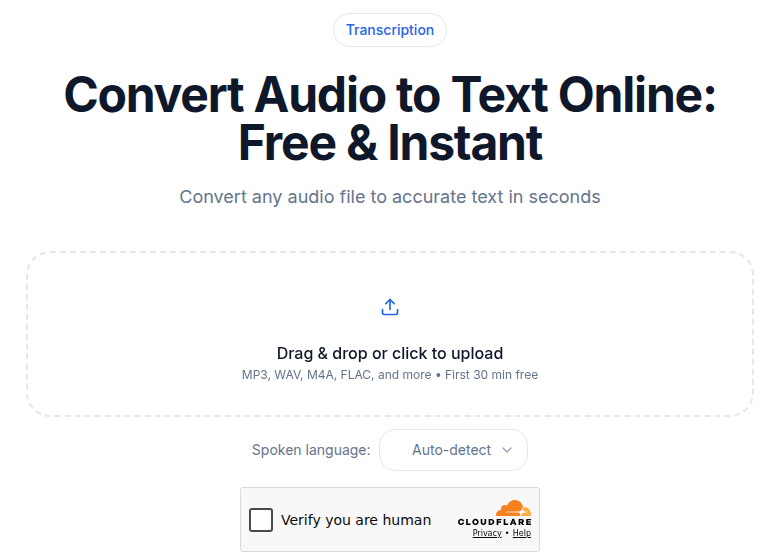
If you just need a transcript quickly and you are not worried about privacy: Cloud tools are faster on difficult audio and handle speaker diarization well. ConvertAudioToText lets you upload a file up to 100 MB and transcribe up to 10 minutes with no account required and a single Turnstile check. The output includes speaker labels and timestamps. A free account adds saved history and 10 premium minutes, given once at signup, and keeps free transcription on the standard engine at up to 3 files a day of 10 minutes each, with a free-finish button for up to 2 more hours of a long file. For a comparison of the best tools in this lane, see best no-signup transcription tools.
If you have a long recording (over 30 minutes) on the free tier: Either split the file, or consider TurboScribe (up to 30 min per file, 3/day free), a browser-local tool with no cap, or a paid plan. Is free transcription worth it? walks through when upgrading makes economic sense.
What API-Based Transcription Actually Costs
For comparison: building the same capability with a raw API takes a few days of developer time up front, plus ongoing maintenance. Pricing for the underlying engines ranges from roughly $0.003 to $0.009 per minute for standard pre-recorded audio, with diarization and language detection adding cost on top. By the time you factor in development time, error handling, and storage, the break-even point versus a paid browser tool is typically high volume: thousands of hours per year. Below that, browser tools win on total cost.
My take: the API route makes sense when transcription is an input to a larger product, not when you just need text from a recording. If you are building something, the speech-to-text API pricing overview for 2026 has the numbers. If you are not building something, close that tab.
FAQ
Can I transcribe audio to text without an API key?
Yes. Browser-based tools handle everything through a web interface, so you never touch an API key. Options range from cloud services like TurboScribe and ConvertAudioToText to fully local tools like Whisper Web, which processes audio inside your browser using WebAssembly and never uploads your file.
What is the difference between browser-local and cloud-based free transcription?
Browser-local tools (Whisper Web, whisper.cpp) run the AI model on your own machine. Your audio never leaves your device, there are no usage caps, and they work offline after the model downloads. Cloud-based tools send your audio to a server for faster processing and higher accuracy on difficult audio, but require an internet connection and usually have free-tier limits.
How accurate is free AI transcription compared to paid?
Accuracy varies more by audio quality than by price tier. Modern Whisper-class models, used by both free browser tools and paid services, achieve word error rates under 5% on clean single-speaker audio. Noisy recordings, heavy accents, or overlapping speakers push error rates higher regardless of the service. Upgrading to a paid plan usually buys faster processing and higher file limits, not a meaningfully different AI model.
Do I need to create an account to use ConvertAudioToText?
No. You can upload a file and receive a full transcript without signing up. The no-signup path supports files up to 100MB and transcribes up to 10 minutes of audio per file, enough for most meetings, lectures, and podcast segments. Creating a free account adds saved history plus 10 transcription minutes, given once at signup rather than refilled each month.
Sources
- Otter.ai pricing page: https://otter.ai/pricing (checked July 2026)
- Descript pricing page: https://www.descript.com/pricing (checked July 2026)
- Whisper Web: https://whisperweb.dev (checked July 2026)
- TurboScribe pricing: https://turboscribe.ai/pricing (checked July 2026, page returned 403; figures cross-confirmed via multiple third-party reviews)
- Happy Scribe plans: https://help.happyscribe.com/en/articles/6906232-plans-and-pricing (checked July 2026)
- whisper.cpp repository: https://github.com/ggml-org/whisper.cpp
- oTranscribe: https://otranscribe.com
- AssemblyAI API pricing: https://www.assemblyai.com/blog/speech-to-text-api-pricing (checked July 2026)
- Deepgram pricing: https://deepgram.com/pricing (checked July 2026)
Try transcription free
Convert any audio or video to clean, unwatermarked text — speaker labels, timestamps, and AI summaries included. First 10 minutes free, no account.
Related Articles
How to Convert AAC to Text: Streams vs M4A Explained
AAC to text: the raw-stream vs M4A container distinction that trips tools, broadcast origins, and the reliable workflow.
How to Convert FLAC to Text: Lossless Audio Guide 2026
FLAC to text for field recordings and archival interviews: why lossless helps, half-of-WAV file sizes, and the upload workflow.