Best AI Note Takers in 2026: 8 Compared on Free Plan, Price and How They Record
Summarize this article with:
Most AI note takers record well enough; they differ on three things. The free plan (Fathom and Fireflies are the most generous for live calls, Notta caps free conversations at 3 minutes, Read AI at 5 meetings a month). How they record (a bot that joins the call, like Otter, Fireflies and ours, or desktop audio with no bot, like Granola and Krisp). And whether they also take recordings you already have. Prices below come from each vendor's pricing page on November 14, 2026.
An AI note taker records a meeting, writes the transcript and turns it into notes: a summary, decisions and action items. In 2026 nearly every one of them does that part well enough. The differences that matter are elsewhere: what the free plan covers once you look past the headline, whether a bot joins the call, which calendar it reads, and what happens to the meetings that were never on a video call.
We make ConvertAudioToText, one of the eight tools below, so read our row with that in mind. We did not sign up for the other seven. Every price and limit in this article comes from the vendor's public pricing page on November 14, 2026, and those pages change often, so check them before you buy.
The 8 AI note takers at a glance
| Tool | How it records | Free plan (as listed) | Paid from (as listed) | Uploads recordings |
|---|---|---|---|---|
| Otter | Bot joins the call, plus its apps | 300 min a month, 30 min per conversation | Pro $8.33 a user a month billed yearly, $16.99 monthly | Yes, 3 lifetime imports on free |
| Fireflies | Bot joins the call | Unlimited transcription, limited AI summaries, 400 min of storage | Pro $10 a seat a month billed yearly, $18 monthly | Yes |
| Fathom | Bot, or bot-free (beta) | Unlimited recordings and transcriptions | Premium $16 a month billed yearly, $20 monthly | Not listed |
| Read AI | Bot joins the call | 5 meetings a month | Pro $15 a user a month billed yearly, $19.75 monthly | Not listed |
| Notta | Bot joins the call, plus uploads | 120 min a month, up to 3 min per conversation | Pro $8.17 a month billed yearly | Yes, 50 files a month on free |
| Krisp | No bot, desktop audio | 7-day trial | Core $8 a user a month billed yearly, $16 monthly | Not listed |
| Granola | No bot, device audio | Basic, with limited meeting history | Business $14 a user a month | Not listed |
| ConvertAudioToText | Bot joins Zoom, Meet, Teams, Webex; any upload | Uploads only: first 30 min of any file without an account | Notetaker with Pro at $14.99 a month, or the Weekly Pass at $9.99 | Yes, any audio or video file |
"Not listed" means the pricing page did not mention file uploads; it does not mean the feature is missing.
What to compare before you pick
1. The free plan, read closely
Headline "free" covers very different things:
- Per-conversation caps. Otter's free plan stops a conversation at 30 minutes, Notta's at 3. A one-hour meeting on those plans is cut short.
- Monthly caps. Otter gives 300 minutes a month, Notta 120, Read AI 5 meetings.
- What the AI does on free. Fireflies lists unlimited transcription but limited AI summaries; the transcript is free, the notes are rationed.
- History. Granola's Basic plan limits how far back you can see your notes.
If you run more than a few meetings a week, the free plan is a trial. Compare the paid price you will actually pay, monthly or billed yearly.
2. A bot in the call, or no bot
A bot joins as a participant everyone can see, often named after you. It works without installing anything and on any computer, and its presence tells people the meeting is recorded. It can also be stuck in a waiting room or removed by the host.
Bot-free tools (Granola, Krisp, Fathom's beta mode) record the audio on your computer. Nothing appears in the call, so nobody can block it, and nobody is told either. That makes consent your job: say you are recording at the start of the call.
3. Calendar and meeting apps
Auto-join is what makes a note taker hands-free: connect your calendar and it joins the meetings you choose. Check which calendar it reads (ours reads Google Calendar; with another calendar you paste each link) and which meeting apps it supports. Zoom, Google Meet and Microsoft Teams are standard. Webex support is less common. Personal Microsoft Teams links are a frequent gap; ours works with work and school Teams links only.
4. Meetings that were never on a call
A meeting in a room, a phone call, a recording a client sent you: a bot cannot join those. A note taker that also takes uploaded audio and video covers them with the same notes. This is where file-first tools are strongest and where some bot-first tools ration uploads on their free plans.
5. What the notes contain
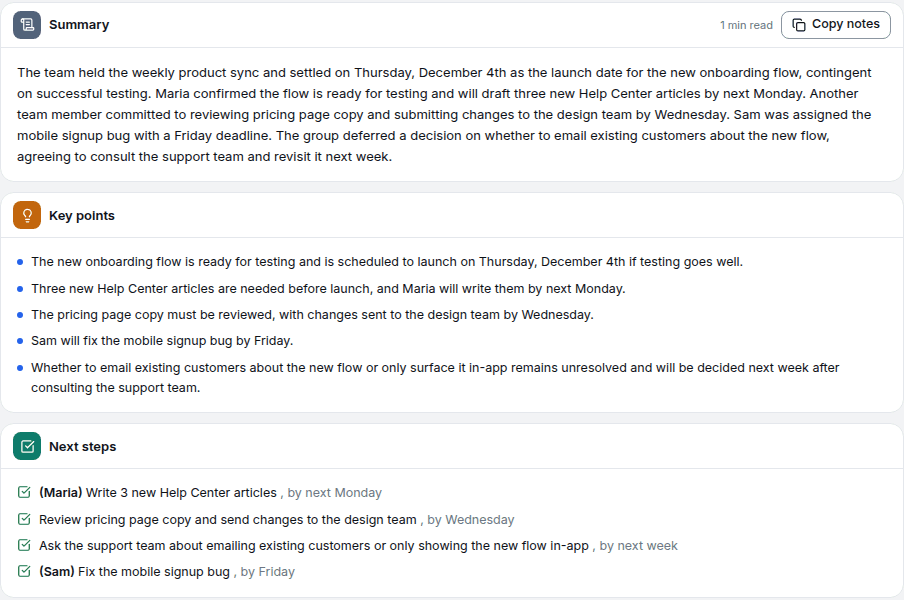
Every tool writes a summary. Look for what comes next: action items with owners and deadlines, decisions kept apart from discussion, open questions, a follow-up email draft, and a way to ask questions about the meeting later. Also check that each note links back to the transcript, so you can check a decision against what was really said.
The tools, one by one
Otter
Otter is the best known AI note taker: a bot that joins Zoom, Meet and Teams, live transcription, and apps on iOS and Android. The free Basic plan gives 300 minutes a month with a 30-minute cap per conversation, and 3 lifetime file imports. Pro is listed at $8.33 a user a month billed yearly or $16.99 monthly; Business at $19.99 billed yearly. A good fit for teams that want live notes and shared speakers across a workspace.
Fireflies
Fireflies sends a bot to Zoom, Meet, Teams and more, and lists transcription in 100+ languages, a desktop app, mobile apps and file uploads. The free plan lists unlimited transcription, limited AI summaries and 400 minutes of storage per team. Pro is $10 a seat a month billed yearly ($18 monthly), Business $19 billed yearly. A good fit for sales teams that want calls synced into other tools.
Fathom
Fathom's free plan is the most generous on paper for live calls: unlimited recordings and transcriptions, and a choice between a bot and a bot-free mode (beta). Premium is $16 a month billed yearly ($20 monthly), and Team plans have a 2-user minimum. A good fit for individuals who mostly need notes from their own calls.
Read AI
Read AI joins calls and adds meeting analytics on top of notes. The free plan lists 5 meetings a month with summaries, transcription and search, and apps for Windows, macOS, Android and iOS. Pro is $15 a user a month billed yearly ($19.75 monthly). A good fit if you want coaching metrics on how meetings go, not only notes.
Notta
Notta joins web meetings, takes uploads and translates. Its free plan lists 120 minutes a month but only up to 3 minutes per conversation, which makes it a trial for meetings. Pro is $8.17 a month billed yearly, with 1,800 minutes a month and up to 5 hours per recording. A good fit for multilingual teams that need translation.
Krisp
Krisp started as noise cancellation and now records meetings without a bot, from your computer's audio. There is a 7-day trial instead of a free plan; Core is $8 a user a month billed yearly ($16 monthly) and lists unlimited note taking and in-person meeting notes. A good fit if you also want noise cancellation on every call.
Granola
Granola records from your device with no bot. Its site shows the idea: you jot rough notes during the call and the AI builds the full notes around them. The Basic plan is free with limited meeting history, and lists an opt-out of model training; Business is $14 a user a month. A good fit for people who like to keep their own notes and want the AI to complete them.
ConvertAudioToText
Our notetaker joins Zoom, Google Meet, Microsoft Teams and Webex calls from a pasted link or from Google Calendar, and writes the transcript with speakers, a summary, decisions, action items with owners and deadlines, open questions and a follow-up email draft. You can then ask AI chat about the meeting and search every transcript.
Honest limits: the notetaker is not on the free or Starter plans. It comes with Pro ($14.99 a month), the Weekly Pass ($9.99) or a minutes top-up, and it needs at least 5 available minutes to join. Calendar auto-join reads Google Calendar only. The notes arrive after the call, not during it. Where we are strongest is everything that is not a live call: any audio or video file, from a room, a phone or a recorder, gets the same notes, and uploads are free to start.
Try the AI note taker, or upload a recording you already have.
Which one fits you
| You mostly need | Look at |
|---|---|
| Free notes from your own calls | Fathom, Fireflies |
| Live notes shared across a team | Otter, Fireflies |
| No bot in the call | Granola, Krisp, Fathom (beta) |
| Meeting analytics and coaching | Read AI |
| Translation across languages | Notta |
| Notes from recordings as well as calls, without a per-seat price | ConvertAudioToText |
Before you connect any note taker
- Tell people you are recording. Some places require consent from everyone in the conversation. A visible bot helps; it does not replace saying it. See recording laws by state.
- Read the data terms. Check whether recordings are used to train models, how long they are kept and how you delete them. See how to opt out of AI training with your audio.
- Check the notes against the transcript before you send them. Names, numbers and dates are where automatic transcripts slip.
Related reading
- Meeting notes automation: bot, upload or manual
- Note taking with AI: the honest stack
- Otter.ai alternatives
- Fireflies vs Otter
- AI meeting assistant
- Meeting recorder for online and in-person meetings
Sources
Pricing pages read on November 14, 2026: Otter, Fireflies, Fathom, Read AI, Notta, Krisp, Granola.
Try transcription free
Convert any audio or video to clean, unwatermarked text — speaker labels, timestamps, and AI summaries included. First 30 minutes free, no account.
Related Articles

Note-Taking With AI: The Honest Stack in 2026
How AI note-taking works in 2026: transcription as the base, where summaries help, where human synthesis still matters, and tools for each stage.

Best Speech-to-Text Apps for Students 2026: Mobile Capture
The best mobile speech-to-text apps for students in 2026: live lecture capture apps compared honestly on features, limits and price.
Medical Transcription for Clinical Notes: A Practical AI Workflow for Clinicians
How clinicians use AI transcription for clinical notes: a practical workflow for audio upload, speaker labels, summaries and TXT or DOCX export.

How to Transcribe Meeting Notes Automatically in 2026
Record a meeting, upload the file, get a structured transcript in minutes.